82
6. Operation procedure
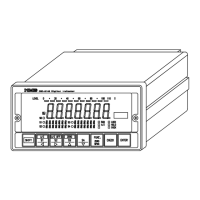
We’ll show the operating procedures with keys located on the front panel.
Warning ● Each key operation should be made after interrupting the
measurement. If it is made during measurement, it may cause an
unexpected malfunction.
● Key operation in Measurement mode can be effective by pressing it for
about one second or so.
6−1. key
6−1−1. Operations in Measurement mode
(1) When operating in single
The Function mode can be entered, and the “FUNC” is shown on the load display section.
In this condition, setting on the Function or shifting to another modes can be available.
(2) When operation together with the
key
After pressing the
key for more than one second, and operating together with the key,
CHECK value set in F−11 turns ON, “CHECK” in the condition display lights on, and then
add the load value equivalent to the value set in F−11 on the load display value.
Again, after pressing the
key for more than one second, operation with pressing this key
makes to turn OFF the CHECK value and return to the former condition.
6−1−2. When operating in the other mode
After pressing the key in the condition of each setting mode, it returns to the measurement
mode.
6−2. key
6−2−1. When operating in the measurement mode
The condition which can set the comparator set value is entered, and LED in the load display
section light on and off. In this condition, the comparative value No. to be changed can be
selected.
And if you keep the instrument untouched for approx. 20 seconds, the Measurement mode can
be re−entered automatically.


 To Next Page
 Loading...