Need help?
Do you have a question about the Mini Gadgets WiFiDIY4K and is the answer not in the manual?
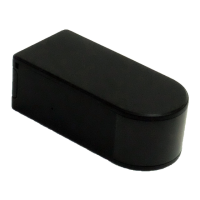
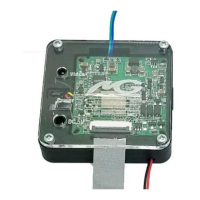
Identifies the main components of the WiFiDIY4K camera kit using labeled diagrams.
Illustrates the process and components needed to charge the device's battery.
Instructions for downloading the LookCamPro app and the first Wi-Fi pairing attempt.
Details necessary Wi-Fi specifications (2.4 GHz) and password format for successful pairing.
Advises on power converters for non-US use and the need for professional electrical installation.
Explains conditions under which the product's warranty may be voided.
Guides users on connecting their phone to the device's Wi-Fi signal to initiate setup.
Details the process of turning on Wi-Fi, waiting for the signal, and connecting to it.
Explains how to use the app to detect the camera and select a network for pairing.
Instructs on changing the default device password for security.
Details how to configure recording settings like record length and video modes.
Explains settings for video resolution, stream quality, and recording modes (stop, continuous, motion).
Describes settings for timed recording, audio recording, and loop recording (video coverage).
Guides on enabling motion detection for recording and receiving notifications.
Explains alarm push notifications, recording times, delay, and detection sensitivity.
Details the steps within the app to change the device's password.
Lists password length requirements and recommends enabling the show password option.
Describes the function of icons for mirroring video stream vertically and horizontally.
Explains icons for LED light, night vision, resolution selection, and starting video recording.
Explains icons for taking snapshots, audio, and adjusting live stream settings like brightness.
Explains the four main tabs (Camera, Photo, Video, Playback) in the app.
Details how to review photos and videos captured during live streaming.
Guides users on selecting dates to review video files stored on the microSD card.
Outlines the process of removing the microSD card and using a reader to connect to a computer.
Provides alternative steps to access files through the 'Computer' folder and 'Removable Disk'.
Offers solutions for the device failing to power on or record to the microSD card.
Explains how to format the SD card using the app's 'Record' section.
Details how to perform a factory reset via the app, un-pairing and resetting the password.
Advises on sending the device for a factory reset if remote reset is not possible.
Offers solutions for when the app cannot find the camera or search networks.
 General
| Video Resolution | 4K |
|---|---|
| Connectivity | WiFi |
| Sensor Type | CMOS |
| Resolution | 12MP |
| Lens Type | Fixed |
| WiFi Connectivity | Yes |
| Storage | MicroSD up to 128GB |
| Battery Type | Rechargeable Lithium-ion |


 To Next Page