EasyManua.ls Logo

MINIWARE TS80P - Page 22

Default Icon
26 pages
Print Icon
To Next Page IconTo Next Page
To Previous Page IconTo Previous Page
Loading...
Ò
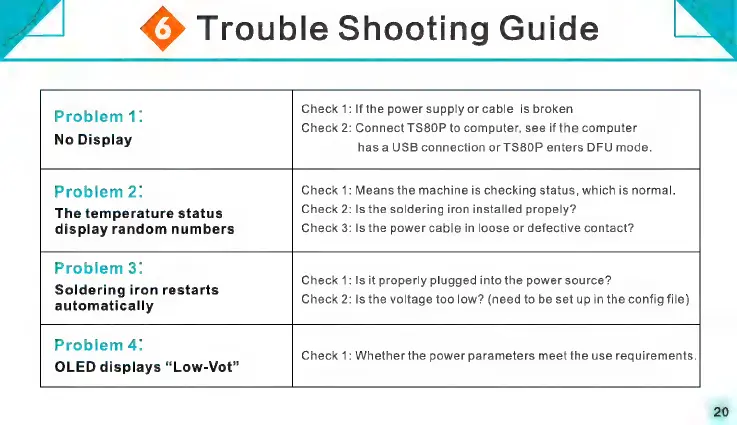
Trouble
Shooting
Guide
.
heck
1:
Ifthe
power
supply
or
cable
is
broken.
Problem
4:
Ë
BE
é
heck
2:
Connect
TS80P
to
computer,
see
if
the
computer
No
Display
p
has
a
USB
connection
or
TS80P
enters
DFU
mode.
Problem
2;
heck
1:
Means
the
machine
is
checking
status,
which
is
normal.
The
temperature
status
display
random
numbers
heck
2:
heck
3:
Is
the
soldering
iron
installed
propely?
Is
the
power
cable
in
loose
or
defective
contact?
Problem
3:
Soldering
iron
restarts
automatically
heck
1:
heck
2:
Is
it
properly
plugged
into
the
power
source?
Is
the
voltage
too
low?
(need
to
be
set
up
in
the
config
file)
Problem
4:
OLED
displays
“Low-Vot”
heck
1:
Whether
the
power
parameters
meet
the
use
requirements.