EasyManua.ls Logo

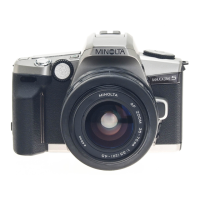
Minolta DYNAX 505si SUPER - User Manual

Minolta DYNAX 505si SUPER
25 pages
Print Icon
To Next Page IconTo Next Page
Loading...
INSTRUCTION MANUAL
E
QUICK
OPERATION
GETTING
STARTED
FULL-AUTO
OPERATION
SUBJECT
PROGRAM
SELECTION
CREATIVE
EXPOSURE
MODES
ADDITIONAL
FEATURES
APPENDIX

Questions and Answers

  • J
    Jessica FitzpatrickJul 26, 2025
    Why are my Minolta Digital Camera flash pictures too dark?
    • F
      fmartinJul 26, 2025
      If your Minolta Digital Camera flash pictures are too dark, the subject may be beyond the flash range. Ensure that the subject is within the flash's effective range.
  • D
    David Austin MDJul 30, 2025
    Why is the lower part of my Minolta DYNAX 505si SUPER flash picture dark?
    • A
      Aaron WallaceJul 30, 2025
      If the lower part of your Minolta Digital Camera flash picture is dark, it might be due to an attached lens hood. Try removing the lens hood.
  • H
    hicksjayAug 5, 2025
    Why does the flash fire when pressing the shutter button halfway on my Minolta Digital Camera?
    • K
      Katherine MorrisAug 5, 2025
      The flash might fire when you press the shutter-release button partway down on your Minolta Digital Camera because the AF illuminator is on. This is a normal operation.
  • K
    Kathleen DavisAug 10, 2025
    What to do if 'Err' appears on my Minolta Digital Camera?
    • L
      levibarrAug 10, 2025
      If you see 'Err' displayed on the data panel of your Minolta Digital Camera, remove and reinstall the batteries. If the problem persists or the camera continues to malfunction, contact an authorized Minolta Service Facility.
  • W
    William KimAug 14, 2025
    How to fix no display on my Minolta Digital Camera?
    • A
      Amy JensenAug 14, 2025
      If no display appears when you switch on your Minolta Digital Camera, it could be due to incorrectly loaded or exhausted batteries. Remove and reinstall the batteries, or install a new battery if the current ones are exhausted.
  • M
    mcintyrevictoriaAug 20, 2025
    Why doesn't autofocus work on my Minolta Digital Camera?
    • R
      rpetersonAug 20, 2025
      If autofocus isn't working on your Minolta Digital Camera when you press the shutter-release button partway, it could be due to several reasons: the situation might be unsuitable for autofocus, the camera may be set to manual focus, the subject could be too close, or focus cannot be confirmed. Try using focus hold or manual focus. If the camera is set to manual focus mode, press the focus mode button to return the camera to autofocus mode. Check the minimum focus distance for your lens.

Minolta DYNAX 505si SUPER Specifications

General IconGeneral
Film format35mm
Focusing SystemTTL phase detection
Focus Points3
Flash Sync Speed1/90 sec
ISO range25 - 5000
Exposure modesProgram, Aperture Priority, Shutter Priority, Manual
FocusAutofocus
FlashBuilt-in
Power Source2x CR2 lithium batteries

Related product manuals