EasyManua.ls Logo

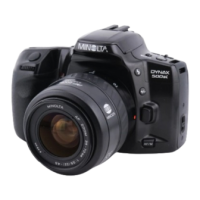
Minolta Maxxum 500 si super - User Manual

Minolta Maxxum 500 si super
88 pages
Print Icon
To Next Page IconTo Next Page
Loading...

Table of Contents

Question and Answer IconNeed help?

Do you have a question about the Minolta Maxxum 500 si super and is the answer not in the manual?

Summary

Quick Operation

Insert Battery

Step-by-step guide for inserting the camera's battery.

Attach Lens

Instructions on how to properly mount a lens onto the camera.

Load Film

Steps for loading film into the camera correctly.

Turn On Power

How to power on the camera for the first time.

Set Full-Auto Mode

Guide to setting the camera to its fully automatic mode.

Lift Built-in Flash

Instructions on how to raise the camera's built-in flash.

Focus on Subject

How to use the autofocus system to focus on a subject.

Take the Picture

The final steps to capture an image using the camera.

Basic Operation

Attaching the Camera Strap

How to attach and secure the camera strap.

Inserting the Battery

Detailed instructions for inserting the camera's power source.

Checking the Battery Power

Understanding the battery indicator and its meaning.

Attaching and Removing the Lens

Procedures for mounting and dismounting camera lenses.

Handling the Camera

Proper techniques for holding and operating the camera.

Loading the Film

Comprehensive steps for loading 35mm film into the camera.

Taking Pictures in Program Mode

How to use the camera's Program (P) mode for automatic shooting.

Rewinding the Film

Methods for rewinding exposed film back into the cartridge.

Subject Program Modes

Subject Program Selection

How to choose between different subject program modes.

Portrait Mode

Using the camera for portrait photography.

Landscape Mode

Using the camera for landscape photography.

Close-Up Mode

Using the camera for macro or close-up photography.

Sports Mode

Using the camera for capturing fast-action events.

Night Portrait Mode

Using the camera for portraits at night.

Creative Exposure Modes

Creative Exposure Selection

Choosing between Aperture-priority, Shutter-priority, and Manual modes.

A Mode: Aperture Priority

How to use Aperture-priority mode for depth-of-field control.

Aperture Control

Understanding aperture settings and their effects.

S Mode: Shutter Priority

How to use Shutter-priority mode for motion control.

Shutter Speed Control

Understanding shutter speed settings and their effects.

M Mode: Manual Exposure

How to use Manual mode for full exposure control.

Exposure Control

Principles of controlling exposure in manual mode.

Bulb

Using the Bulb mode for long exposures.

Focus

Focusing

How the autofocus system works and its indicators.

Special Focusing Situations

Challenges and solutions for focusing in difficult conditions.

Focus Lock

How to lock focus on a subject.

Manual Focus

How to manually adjust focus.

Autofocus Illuminator

How the AF illuminator aids focusing in low light.

Flash

Using the Built-in Flash

How to operate the camera's integrated flash.

Built-in Flash Precautions

Important safety and usage guidelines for the built-in flash.

Using Flash in P, A, S, M Modes

How flash interacts with different exposure modes.

Red-Eye Reduction

How to use the red-eye reduction feature.

Wireless; Remote Off-Camera Flash Control

Using external flashes wirelessly.

Wireless; Remote Ratio Control

Controlling the ratio of off-camera and built-in flash output.

Additional Features

Self-Timer

How to use the self-timer for delayed shooting.

Double Exposure Mode

How to capture two images on a single frame.

Continuous-Drive Mode

How to take rapid sequences of photos.

Exposure Compensation

Adjusting exposure beyond automatic settings.

Spot Metering

How to meter exposure for a small area.

Setting the Film Speed Manually

Manually setting ISO for non-DX coded film.

Optional Quartz Data Back Model

Features and use of the optional data back.

Appendix

Program-Reset Button

How the program-reset button returns the camera to full-auto mode.

Accessory Information

Information on compatible lenses and flashes.

Trouble Shooting

Common problems and their solutions.

Care and Storage

Guidelines for cleaning and storing the camera.

Summary

Quick Operation

Insert Battery

Step-by-step guide for inserting the camera's battery.

Attach Lens

Instructions on how to properly mount a lens onto the camera.

Load Film

Steps for loading film into the camera correctly.

Turn On Power

How to power on the camera for the first time.

Set Full-Auto Mode

Guide to setting the camera to its fully automatic mode.

Lift Built-in Flash

Instructions on how to raise the camera's built-in flash.

Focus on Subject

How to use the autofocus system to focus on a subject.

Take the Picture

The final steps to capture an image using the camera.

Basic Operation

Attaching the Camera Strap

How to attach and secure the camera strap.

Inserting the Battery

Detailed instructions for inserting the camera's power source.

Checking the Battery Power

Understanding the battery indicator and its meaning.

Attaching and Removing the Lens

Procedures for mounting and dismounting camera lenses.

Handling the Camera

Proper techniques for holding and operating the camera.

Loading the Film

Comprehensive steps for loading 35mm film into the camera.

Taking Pictures in Program Mode

How to use the camera's Program (P) mode for automatic shooting.

Rewinding the Film

Methods for rewinding exposed film back into the cartridge.

Subject Program Modes

Subject Program Selection

How to choose between different subject program modes.

Portrait Mode

Using the camera for portrait photography.

Landscape Mode

Using the camera for landscape photography.

Close-Up Mode

Using the camera for macro or close-up photography.

Sports Mode

Using the camera for capturing fast-action events.

Night Portrait Mode

Using the camera for portraits at night.

Creative Exposure Modes

Creative Exposure Selection

Choosing between Aperture-priority, Shutter-priority, and Manual modes.

A Mode: Aperture Priority

How to use Aperture-priority mode for depth-of-field control.

Aperture Control

Understanding aperture settings and their effects.

S Mode: Shutter Priority

How to use Shutter-priority mode for motion control.

Shutter Speed Control

Understanding shutter speed settings and their effects.

M Mode: Manual Exposure

How to use Manual mode for full exposure control.

Exposure Control

Principles of controlling exposure in manual mode.

Bulb

Using the Bulb mode for long exposures.

Focus

Focusing

How the autofocus system works and its indicators.

Special Focusing Situations

Challenges and solutions for focusing in difficult conditions.

Focus Lock

How to lock focus on a subject.

Manual Focus

How to manually adjust focus.

Autofocus Illuminator

How the AF illuminator aids focusing in low light.

Flash

Using the Built-in Flash

How to operate the camera's integrated flash.

Built-in Flash Precautions

Important safety and usage guidelines for the built-in flash.

Using Flash in P, A, S, M Modes

How flash interacts with different exposure modes.

Red-Eye Reduction

How to use the red-eye reduction feature.

Wireless; Remote Off-Camera Flash Control

Using external flashes wirelessly.

Wireless; Remote Ratio Control

Controlling the ratio of off-camera and built-in flash output.

Additional Features

Self-Timer

How to use the self-timer for delayed shooting.

Double Exposure Mode

How to capture two images on a single frame.

Continuous-Drive Mode

How to take rapid sequences of photos.

Exposure Compensation

Adjusting exposure beyond automatic settings.

Spot Metering

How to meter exposure for a small area.

Setting the Film Speed Manually

Manually setting ISO for non-DX coded film.

Optional Quartz Data Back Model

Features and use of the optional data back.

Appendix

Program-Reset Button

How the program-reset button returns the camera to full-auto mode.

Accessory Information

Information on compatible lenses and flashes.

Trouble Shooting

Common problems and their solutions.

Care and Storage

Guidelines for cleaning and storing the camera.

Minolta Maxxum 500 si super Specifications

General IconGeneral
BrandMinolta
ModelMaxxum 500 si super
CategoryDigital Camera
LanguageEnglish

Related product manuals