EasyManua.ls Logo

Minusforty 13-USGR-F2 - User Manual

Minusforty 13-USGR-F2
16 pages
Print Icon
To Next Page IconTo Next Page
Loading...
Model:
Serial Number:
Date of Purchase:
To better help you obtain assistance or service should you ever need it, write down the
following information about the product. This information is on the identification label
located on the left hand inside wall of the cabinet. We advise you to keep this Owners
Manual and sales slip in your possession.
Owners Manual
Payment Enabled
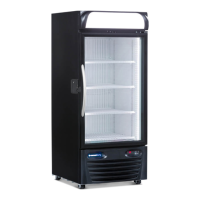
Glass Door Refrigerators
230V 50Hz
Single Door Models
(with Smartlock and POS Terminal)
13-USGR-F2, 19-USGR-F2, 22-USGR-F2
13-USGR-L2, 19-USGR-L2, 22-USGR-L2
MNL_R290 USGR-F2-L2 230V POS_EN20210923
30 Armstrong Ave. Georgetown, Ontario Canada L7G 4R9
30 Armstrong Avenue
Georgetown, Ontario
Canada L7G 4R9
Tel: +1.905.702.1441
Fax: +1.905.702.1442
email: info@minusforty.com
web: minusforty.com
tel +1.905.702.1441 · fax +1.905.702.1442 · MINUSFORTY.com
Question and Answer IconNeed help?

Do you have a question about the Minusforty 13-USGR-F2 and is the answer not in the manual?

Overview

This document is an owner's manual for Payment Enabled Glass Door Refrigerators, specifically single-door models (13-USGR-F2, 19-USGR-F2, 22-USGR-F2, 13-USGR-L2, 19-USGR-L2, 22-USGR-L2) operating on 230V 50Hz, and equipped with Smartlock and POS Terminal.

Function Description

These refrigerators are designed for commercial use, featuring a glass door and integrated payment enablement via a POS Terminal and an electronic food safety lock system. The electronic controller monitors internal temperature, controls the refrigeration system, and manages the mechanical door lock based on commands from the POS Terminal. The food safety lock system is designed to prevent access to potentially hazardous food if the internal temperature rises above a safe threshold or if there is a sensor malfunction. A battery backup system ensures continuous monitoring during power outages.

Important Technical Specifications

  • Voltage: 230V 50Hz
  • Refrigerant: Propane (R290)
  • Refrigerant Charge Limit: Up to 150 grams (5.3 oz) per refrigeration circuit.
  • Climate Class: EN23953, Category 4 (30°C, 55%RH).
  • Operating Environment: Not greater than 30°C (86°F) and 55% relative humidity.
  • Air Space Requirement: At least 6" (15 cm) must be maintained on all sides of the refrigerator for proper ventilation.
  • Shelf Load Limit:
    • 13-USGR: 30 kg (66 lb)
    • 19-USGR: 42 kg (92 lb)
    • 22-USGR: 49 kg (108 lb)
  • Battery Backup: Eight AA alkaline batteries providing 12VDC, capable of powering the electronic lock safety system controller(s) and lock(s) for about 7 hours.
  • Compressor Delay: 6 minutes for compressor protection after power interruption.
  • Temperature Alarm Threshold: High-temp alarm activates if temperature stays above 5°C for 30 minutes.

Usage Features

  • Installation: Requires a dedicated and properly grounded 230VAC/50Hz/1Ph circuit. The unit must be leveled using adjustable leg levelers for proper door closing and water drainage.
  • Protective Door Film: An anti-fog protective film on the inner side of the glass door must be peeled off after installation.
  • Shelf and Basket Adjustment: Shelves can be positioned using slotted pilasters and molded or metallic clips.
  • Operating Instructions: After installation, the unit should be upright and idle for at least 1 hour before connecting to power. The power switch (located on the front grill) turns the refrigeration system ON or OFF. The light switch controls internal and external lights.
  • Product Loading: Ensure the refrigerator reaches the proper operating temperature before loading. Maintain at least 6" (15 cm) free space between the fan and product for air circulation. Do not stock products against the evaporator fan or block air space behind the grill. Avoid removing the bottom shelf and overstocking.
  • M44D Electronic Controller: Displays actual internal temperature and manages refrigeration cycles. Allows adjustment of the set temperature. Features alarms and signals for various conditions (high/low temperature, door open, probe malfunctions, power loss, etc.). Alarms can be silenced by pressing any controller button.
  • POS Terminal & Electronic Food Safety Lock:
    • Default State: Refrigerator door is locked upon power-up.
    • Access Control: Unlocking and locking actions are controlled by the POS Terminal.
    • Safety Lockout: If the internal temperature exceeds 5°C for 30 minutes, or if there's a temperature sensor malfunction, the POS Terminal will disable normal access mode and keep the door locked.
    • Alarm Review: Users can review historical alarm data (temperature, power failures) on the controller, including start date/time, duration, and peak temperature.
    • Restocking Delay: Activated by opening and closing the door three times within 5 seconds, this delay prevents nuisance high-temperature alarms during product stocking for a factory pre-set time (30 minutes).
    • Mechanical Lock: Located on the left side of the unit, it locks the door upon electrical signal from the electronic controller.
    • Lock Status Indicator Board (LSIB): An electronic PCB with LEDs indicating lock status (green for 12VDC present, flashing red for locked).
    • Lock Key: A special-purpose key for temporary override of the mechanical lock.
    • Entrapment Lock Release: An emergency pushbutton inside the compartment allows unlocking the door from the inside.
  • Battery Backup Operation: The battery backup switch (located at the back of the unit) must be in the "ON" position for the system to function during power failures. It should be in the "OFF" position when the unit is not in use and disconnected from the main power source to prevent premature drain. Batteries should be checked periodically and replaced as needed.

Maintenance Features

  • Condenser Cleaning: Recommended every three to four months. Involves removing the front bottom grill, switching off power, unplugging, brushing/vacuuming/blowing dirt off the condenser coil and fan, then reassembling. This service is not covered under warranty.
  • Cabinet Cleaning:
    • Safety Precaution: Disconnect power before cleaning.
    • Interior: Use only mild non-abrasive liquid cleaner, water, and a soft cloth.
    • Exterior: Use mild non-abrasive liquid cleaner, water, and a soft cloth for painted surfaces. For stainless steel, use commercial stainless steel polish and cleaner.
    • Glass Door Exterior: Use only a mild, non-abrasive liquid cleaner, water, and a soft cloth.
    • Anti-Fog Glass Door Interior: Clean with common household glass cleaners (e.g., Windex®) and a tissue or paper towel. For very cold surfaces, a mixture of 30% pure alcohol and water can be used. Do not use abrasive cleaners, materials, or anything that can damage the coating (e.g., razor blades, tape, glue, stickers, silicone oils, waxes).
  • LED Strip Replacement: Instructions are provided for replacing both ISD Translight LED strips (if equipped) and interior LED strips, requiring disconnection of power and careful removal/installation of components.
  • Troubleshooting Guide: Provides solutions for common issues like condensation, non-working LED strips, noisy cabinet, door not closing tightly, electronic control malfunctions, and evaporator fan issues.
  • Warranty: A 12-month limited warranty covers defects in workmanship and materials. It does not cover misuse, accident, lack of maintenance, or consequential damages. All service work must be performed by certified, factory-authorized personnel.

Minusforty 13-USGR-F2 Specifications

General IconGeneral
BrandMinusforty
Model13-USGR-F2
CategoryRefrigerator
LanguageEnglish