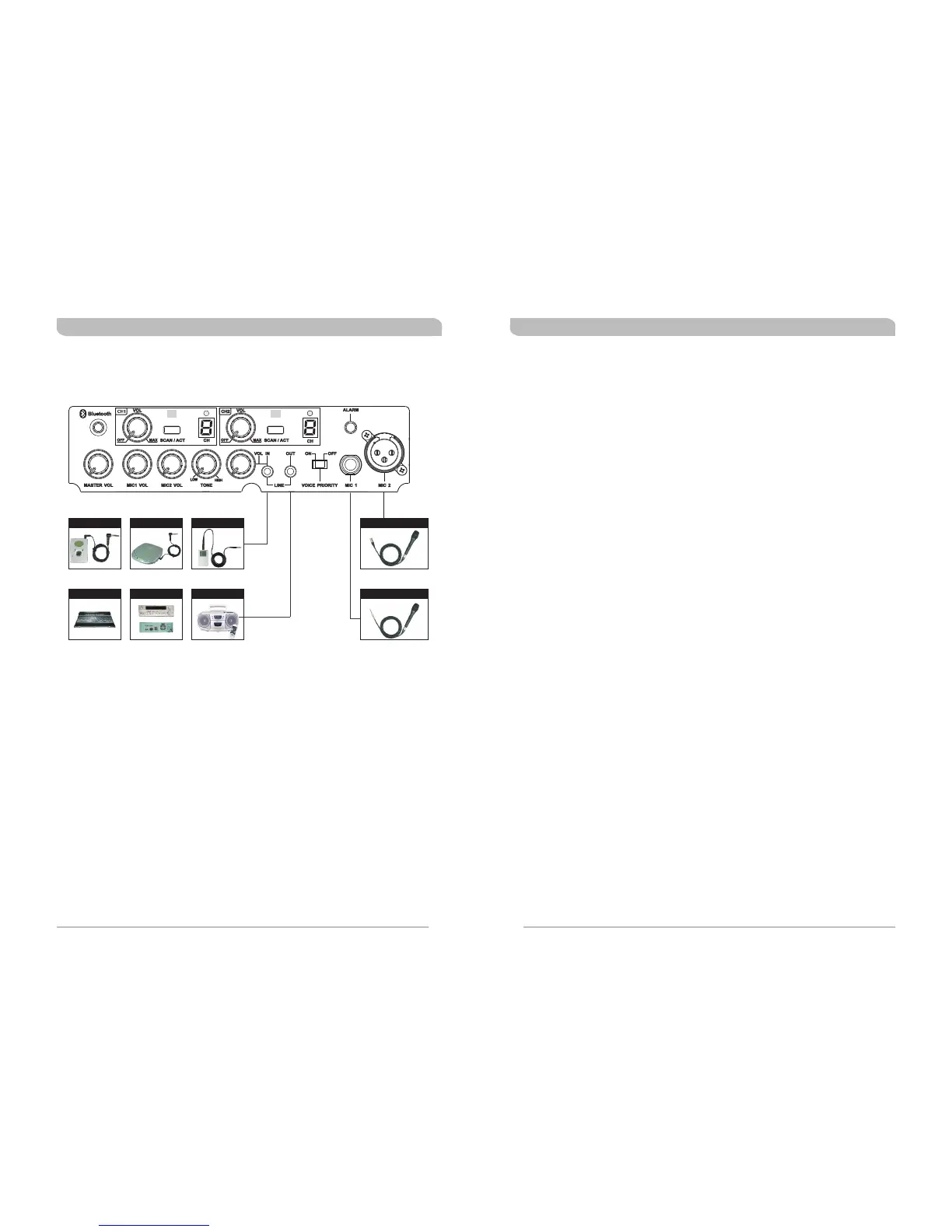
I-PODCD PLAYER
MP3 PLAYER
CONNECTION FOR EXTERNAL AUDIO SOURCES POWER USAGE INSTRUCTION
General Summary
! A built-in switching power supply allows for AC power inputs ranging from
100~240volt and an external 24~28 volt DC power supply, is required.
! A built-in AC power supply powers the unit itself and provides recharging to the
built-in rechargeable batteries, too.
How to use AC power input
! After putting the power plug into the AC input socket of the device, the 4
battery meter indicators will glow immediately, no matter if the power switch is
on or off. This means that the built-in switching power supply is functioning
normally and the built-in rechargeable batteries are fully charged. If the battery
meter indicators are blinking this means that the built-in switching power supply
is working normally and the built-in rechargeable batteries are in an under
charged condition. After a couple of minutes, the battery meter indicators will
stop blinking and continue a glowing condition, indicating the batteries are now
fully charged.
! AC power provides power to both the unit itself and to the built-in rechargeable
batteries.
! When using the AC power, you can remove or plug the power cord freely with
no need to turn off the power switch first. If or when an unfortunate power cut
happens during usage, the unit will activate the DC power automatically to
maintain continuous operation.
How to use DC power input
! Built-in rechargeable batteries are used. When the batteries are fully charged,
the unit can be operated for approximately 8 hours in standby mode. Playing
the music loudly will drain the rechargeable batteries down faster. (The above
figures are references for brand new, fresh batteries only)
! The built-in rechargeable batteries can be recharged when the unit is plugged
into an AC or DC power outlet.
! The red power indictor will glow when power switch is turned on. Additionally, 2
to 4 battery meter indicators are glowing to indicate normal operation mode.
! If only 1 battery meter indicator is glowing this indicates low battery status
therefore, it is highly recommended to plug-in for recharging and it can be
operated while charging.
! If no battery meter indicator is glowing after the unit is turned on, it indicates
the batteries are completely discharged or possibly faulty batteries.
PORTABLE WIRELESS PA SYSTEM PORTABLE WIRELESS PA SYSTEM
10
11
Cable no: 2FA030
Cable no: 2FA031
Cable Microphone (XLR)
Cable Microphone (Phone-Jack)
Am plifier
Cassette Recorder
Mi xer



 To Next Page
 Loading...