3 | P a g e
Connection Preparation
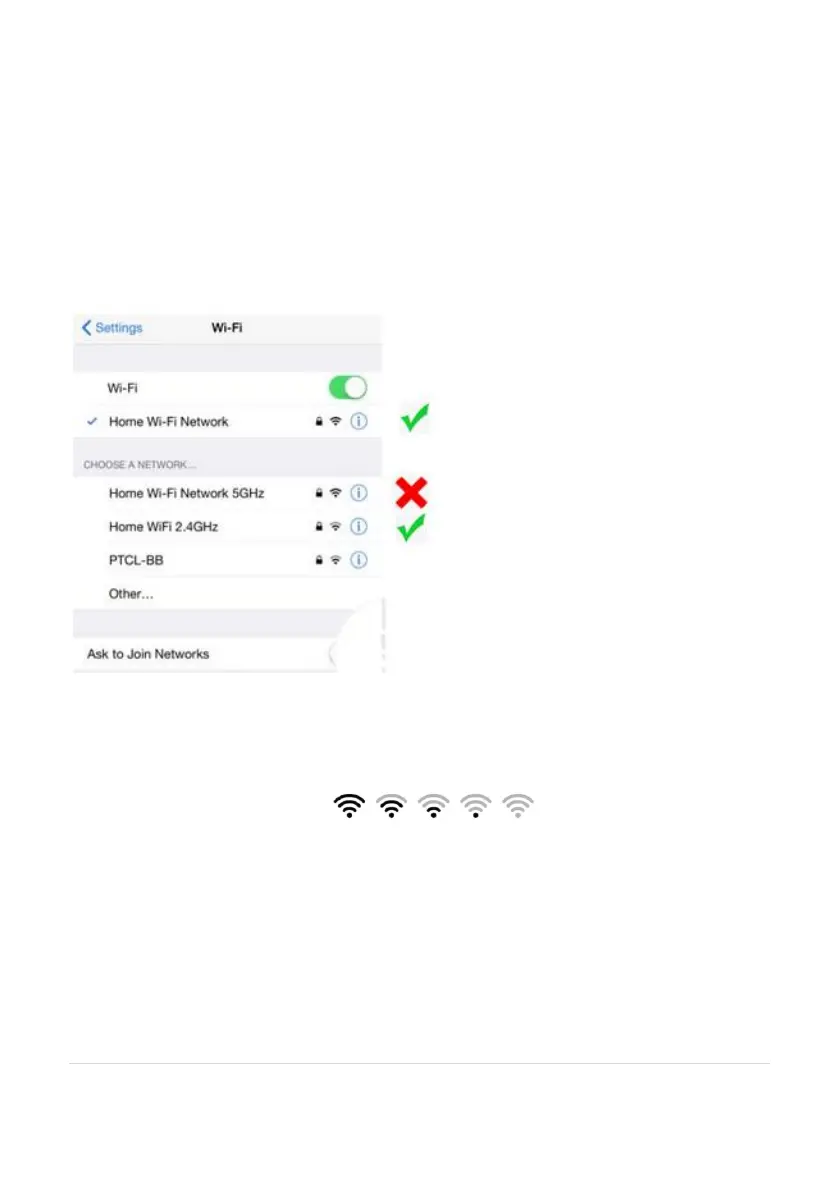
It is important that your phone is connect to 2.4Ghz Wi-Fi and not to the 5GHz
network.
To verify your mobile device is set to a 2.4Ghz Wi-Fi network, navigate to the
Settings menu and click on Wi-Fi. In this menu you will see all the detectable
networks in your area. Locate the SSID (the name of your network), and ensure that
the Wi-Fi SSID does not end with a 5G / 5GHz.
Check you have a strong WI-FI signal (at least two bars) in the location where the
smart camera is to be installed.
If you don’t have at least two bars signal on your phone, then you may need to
reconsider the relocating the camera to a different location or obtain a Wi-Fi
extender to boost the WI-FI signal strength.


 To Next Page