
 Need help?
Do you have a question about the MIRABELLA E96F and is the answer not in the manual?
Lists all items provided in the camera package for initial setup.
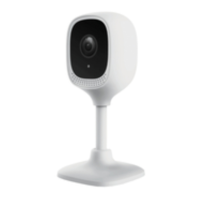
Identifies key components of the security camera, front and back views.
Guides users to connect to a 2.4GHz Wi-Fi network, not 5GHz.
Advises ensuring a strong Wi-Fi signal (at least two bars) for reliable installation.
Instructions on downloading and installing the required smartphone application.
Details on inserting a Micro SD card (8GB-128GB) for video recording.
Connect camera to power and wait for the indicator light to blink red.
Guides users through the app to add and pair the security camera.
Explains common errors and solutions, like Wi-Fi settings or indicator lights.
Details functions like Screenshot, Speak, Record, Playback, and Alarm in the app.
How to access the camera's settings page via the pencil icon.
Overview of settings like Share Device, Device Information, Echo, Basic Functions, and Motion Detection.
Configuration of IR Night Vision, Talk Mode, and Status Indicator.
Explains SD Card Recording, Event Recording, Non-stop Recording, and formatting.
Solutions for connecting to new routers, poor performance, and offline cameras.
Resolves 'Cannot find Device' errors and modem compatibility issues.
 General
| Optical Zoom | 3x |
|---|---|
| LCD Screen Size | 2.4 inches |
| Video Resolution | 640 x 480 pixels |
| Storage Media | SD card |
| Battery Type | 2x AA batteries |
| Effective Pixels | 9.0 Mega Pixels |

 To Next Page