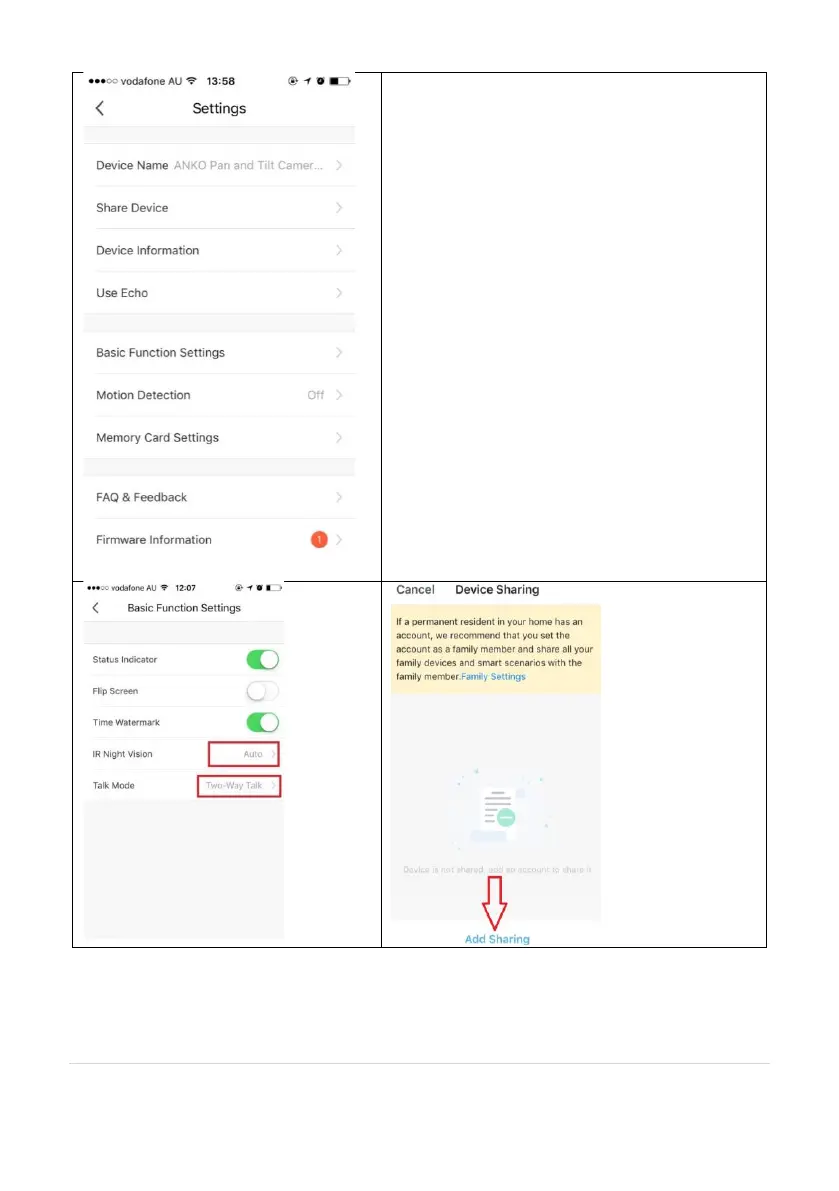
Share Device: if you wish to share or remove
sharing this camera with another genio APP user
Device information: details information for
this camera, owner information, Virtual ID, IP
address etc
Use Echo:
instruction on how to use with Amazon Alexa
Basic Function Settings:
Please ensure IR Night Vision is on Auto, and Talk
Mode is on two way talk
Motion Detection:
On/Off and detection sensitivity level setting
Memory Card Settings:
This will only appear when 8GB-128GB Micro SD
card is inserted
Firmware information: When new firmware is
released for this camera you will see this
notification icon.
Remove Device: Remove the device from
current account so you can re-pair it again or pair
under a different account/router


 To Next Page