6 | P a g e
Camera usage Tips (interface may change with software update)
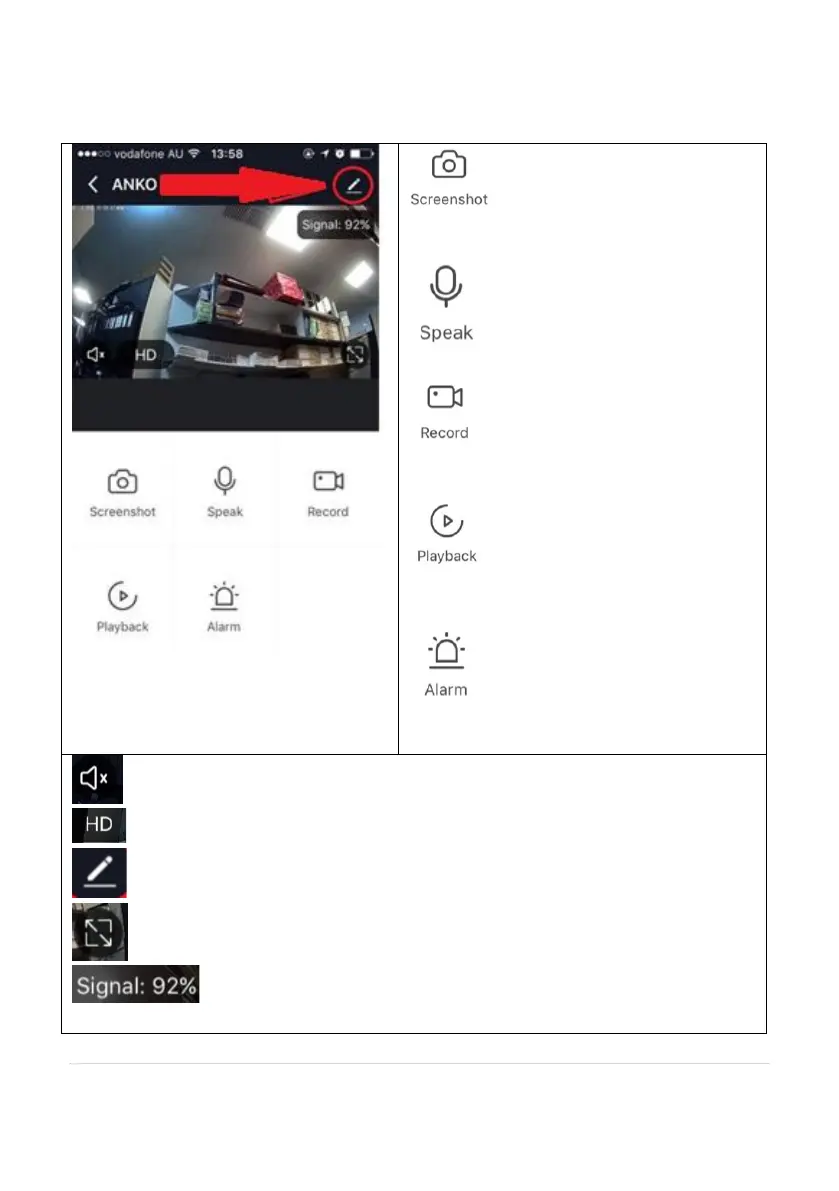
Tap on the pencil icon to access the camera’s settings page
To take snapshot of the screen and save it
to phone’s camera roll
Tap to speak to the camera
Record live footage into your phone’s
internal storage
Access to the footage recorded on the
Micro SD card
To turn the motion detection alarm on /
off
To turn sound on/ off
To change video quality , high definition or Standard definition
To access to camera’s settings page
To switch to full screen view mode
: Wi-Fi signal, if signal is less than 60% you should consider changing
the location or boost the Wi-Fi Signal using Wi-Fi extender


 To Next Page