III Ports Names
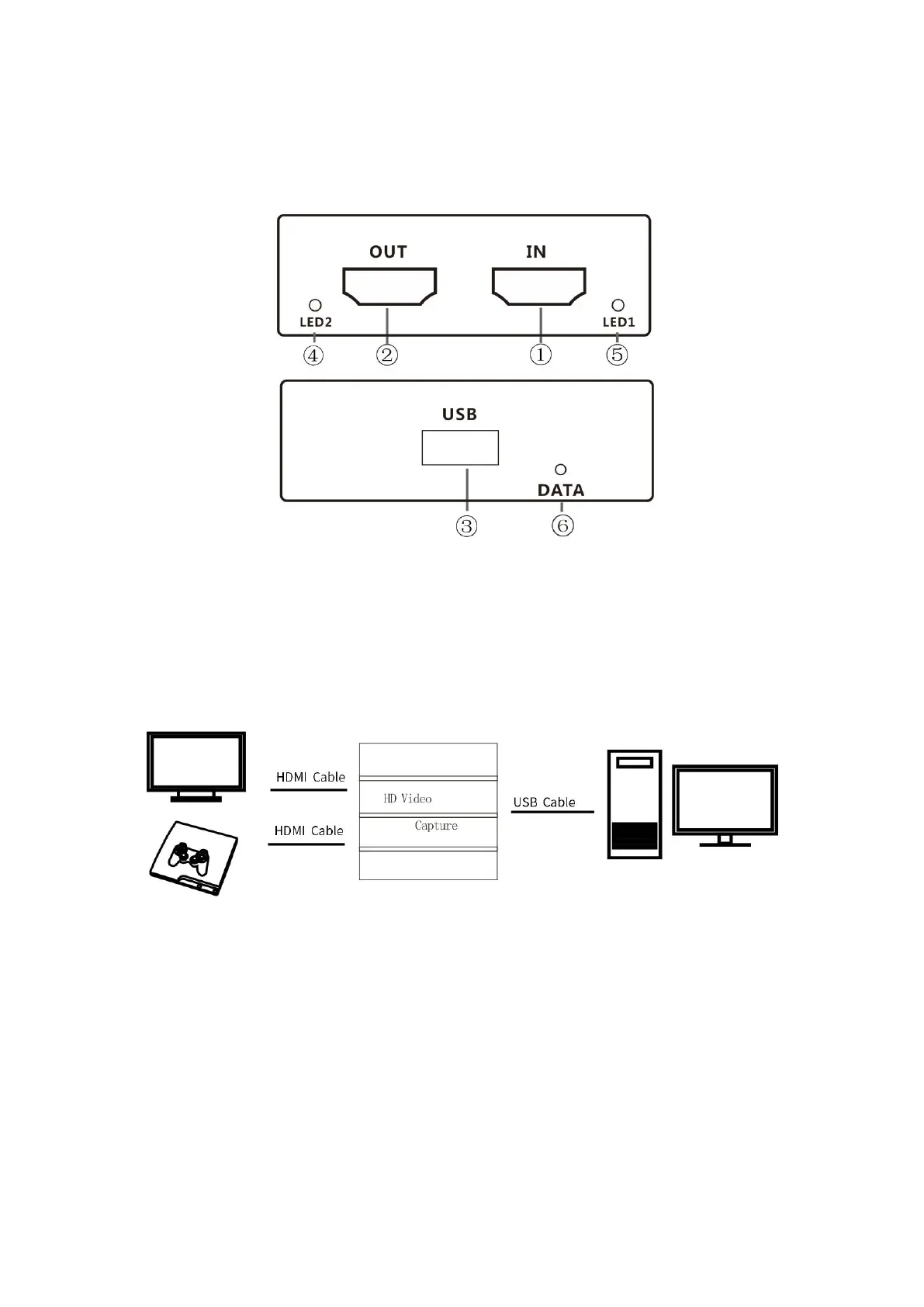
①
HD Input
②
HD Output
③
USB
④
LED1 HD Signal Input Display
⑤
DATA Capture Work Light
⑥
LED2 HD Output Display
Connection Diagram
IV Instructions
1.Connect the HD video input signal to the HD video input interface ;
2.Connect the USB interface to the computer;
3.Connect to the device that requires capture data (connect
the display or TV to the HD video output interface if required);
4.Refer to the use of PotPlayer (as shown in the figure 1),
also support other software such as XO and OBS;


 To Next Page