Ⅱ Connect and Operate
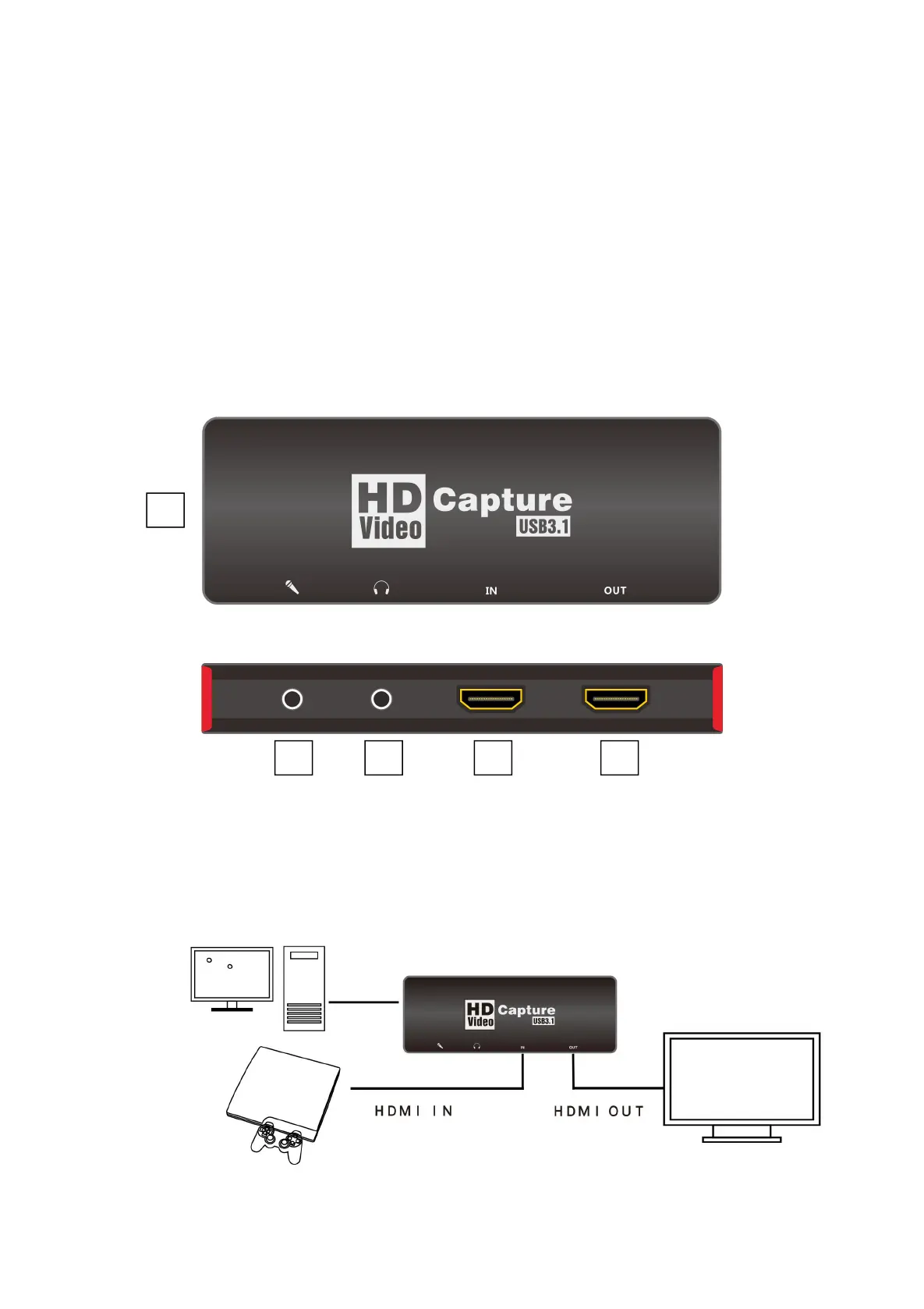
1.Connect the signal sources such as Blu-Ray Player , Play Station , audio/video
receiver ,satellite receivers with HD output interfaces with a HD cable to the device HD
input .
2.Insert the type-c cable head to type-c interface , the other side of the cable into your
computer`s USB3.0 or type-c interface .
3.HD to USB3.0 video capture Device is based on UVC(USB video class) , UAC(USBaudio
class) STANDARD , without having to install drivers and settings.user can connect an
external monitor or TV to the HD Loopout. with which can watch HD video
simultaneously .
1.Type-c
2.Input:This slot is where you connect the A/V source output from DVD,PS3,Set-top Box
and Note Book.
3.Loopout:signal local output port
4.Audio
5.Mic



 To Next Page