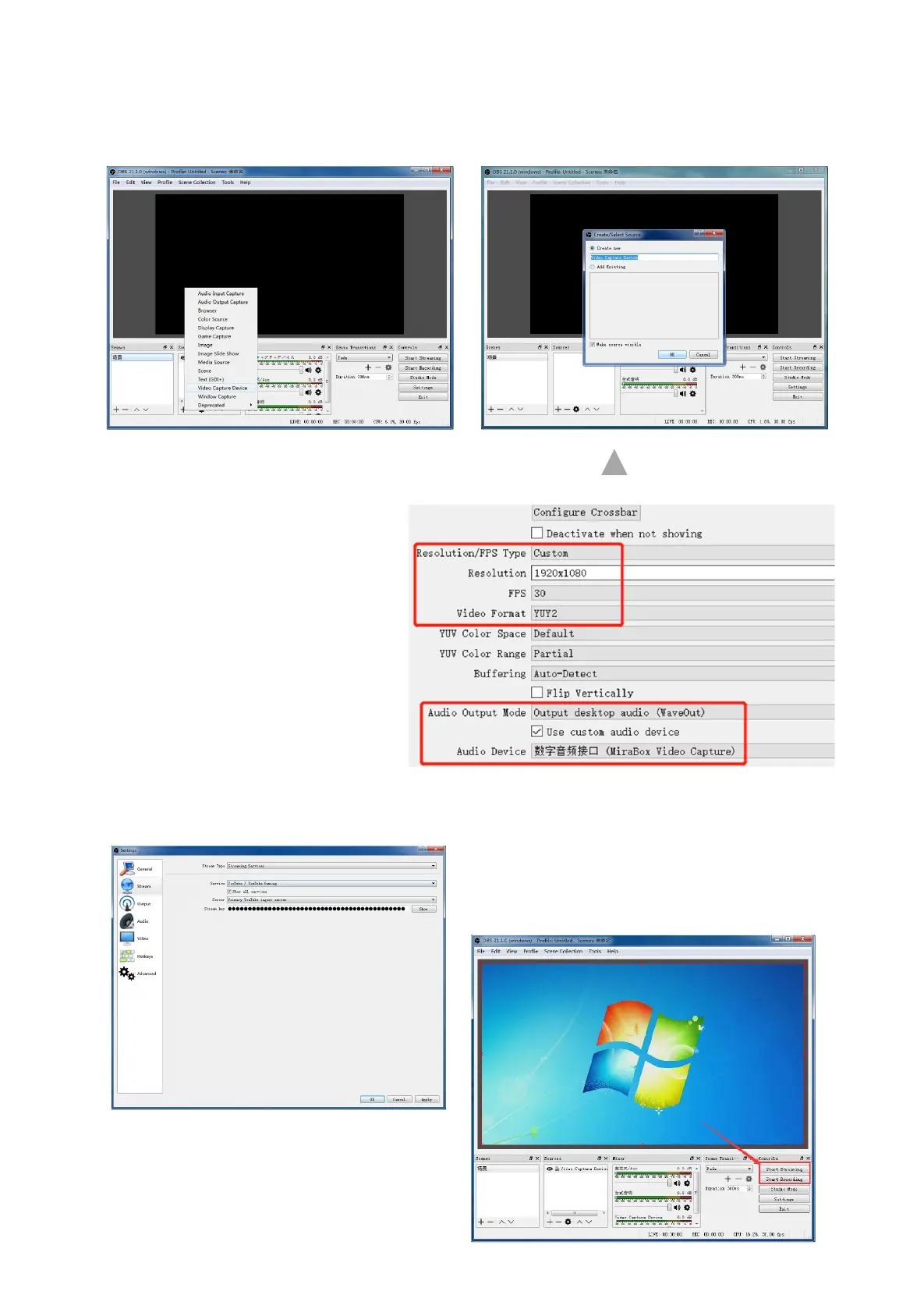
How to Set Capture Card in Windows (OBS)
1. Open OBS → Click "+" to choose "Video Capture Device" .
2. Creat source → OK.
3. Properties for Video Capture
Device → Device(Mirabox Video
Capture) → Resolution/FPS Type
(Custom) →
Resolution(1920*1080) → FPS
(30pfs) → Video Format (YUY2)→
Audio Out Mode(Output desktop
audio(WaveOut)) → √Use custom
audio device → Audio
Device(MiraBox Audio Capture) →
OK.
4.Setting → Stream → choose your Live service (YouTube/Twitch...), input you channel
stream key → OK.
5. Start streaming or start recording



 To Next Page