How to Set Capture Card in Mac (OBS)
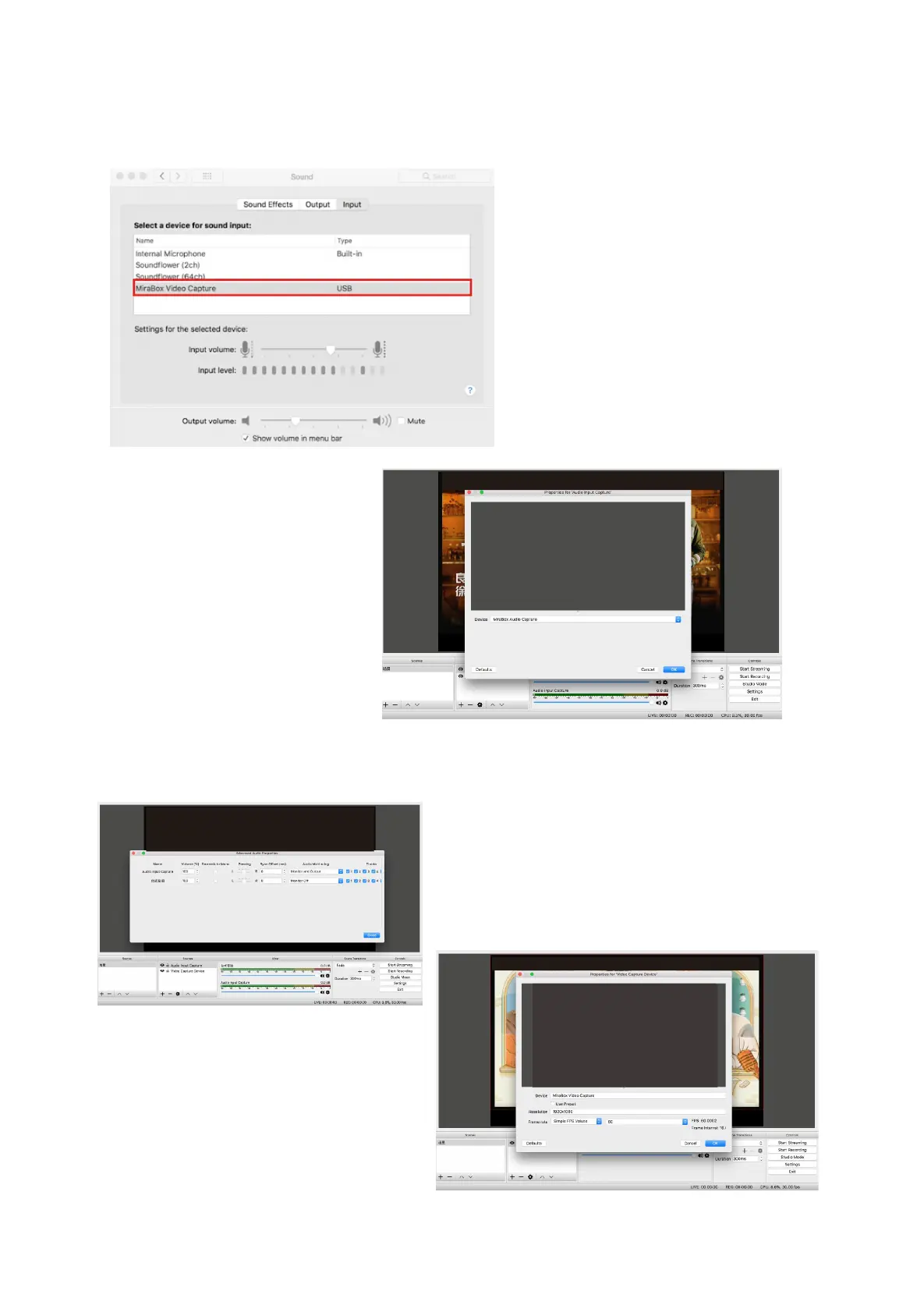
1.Open Mac System preferences, choose MiraBox Vedio Capture, as picture
2. Open OBS software, click "+"
to add Audio input capture from
sources opetion , then choose
Mirabox Audio Capture, as
picture.
3. Click setting to choose advanced in the Mixer window, Audio input capture item
choose" Monitor and Output”
4.Add“MiraBox Video Capture” from sources
option in the OBS window, choose your
resolution and frame rate, as picture.
5.Click OK.



 To Next Page