
 Need help?
Do you have a question about the Miracle-Ear ME CHARGE and is the answer not in the manual?
Clarifies the device's intended purpose and limitations, such as indoor-only use.
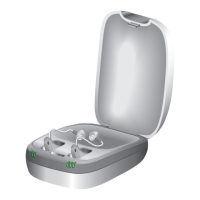
Indicator lights showing the charging status and readiness of the charger.
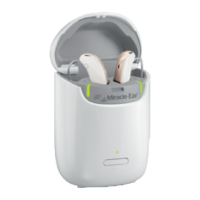
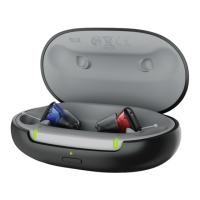
The dedicated slots within the charger where hearing aids are placed for charging.
Details about the power plug and USB cable used for connecting the charger.
Notice to use only the supplied power adapter to prevent malfunction and ensure safety.
Instructions for connecting the USB power cable to the charger and power plug.
Steps to connect the charger to a power supply and verify readiness via LEDs.
Instructions for correctly inserting hearing aids into the charging slots for charging.
Details on how hearing aids turn off, start charging, and turn on when removed.
Specific guidance on the proper placement of hearing aids within the charging slots.
Detailed meanings of the LED indicators for various charging states and errors.
Answers to common questions about charging frequency, duration, and best practices.
Instructions for cleaning and maintaining the charger to ensure longevity and performance.
Steps to resolve issues when no LED lights are displayed on the charger.
Guidance for issues indicated by flashing orange LEDs, related to cooling phase.
Steps to resolve problems indicated by flashing red LEDs, suggesting charger errors.
Guidance for issues indicated by three flashing red LEDs, suggesting hearing aid problems.
Warnings regarding burns, electrical shock, and handling of damaged devices.
Warning about small parts and keeping the device away from children and cognitively impaired persons.
Cautions against unauthorized changes and using the device in explosive atmospheres.
Information on potential interference with measuring devices, electronic equipment, and on airplanes.
Guidance on charger compliance and potential interference with medical devices and implants.
Instructions to protect devices from extreme heat, sunlight, and high humidity.
Notice not to dry devices in microwave ovens or use when status indicators are red.
Cautions about magnetic field interference with electronic equipment and not dropping the device.
Explanation of symbols used in this document, indicating injury or property damage risks.
Explanation of symbols indicating manufacturer, disposal, and reading instructions.
Specifies the temperature and humidity ranges for operating the charger.
Specifies the temperature and humidity ranges for transporting and storing the charger.
Details input and output voltage, current, and frequency for the power supply.
Instructions for recycling devices, accessories, and packaging according to local regulations.
Information on compliance with FCC and Canadian RSS standards, and operating conditions.
 General
| Battery Type | Rechargeable |
|---|---|
| Connectivity | Bluetooth |
| Noise Reduction | Yes |
| Water Resistance | IP68 |
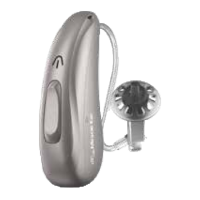
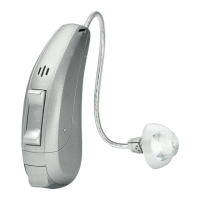
| Style | Behind-the-ear (BTE) |
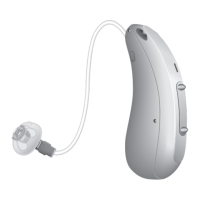
| Type | Receiver-in-Canal (RIC) |



 To Next Page