139
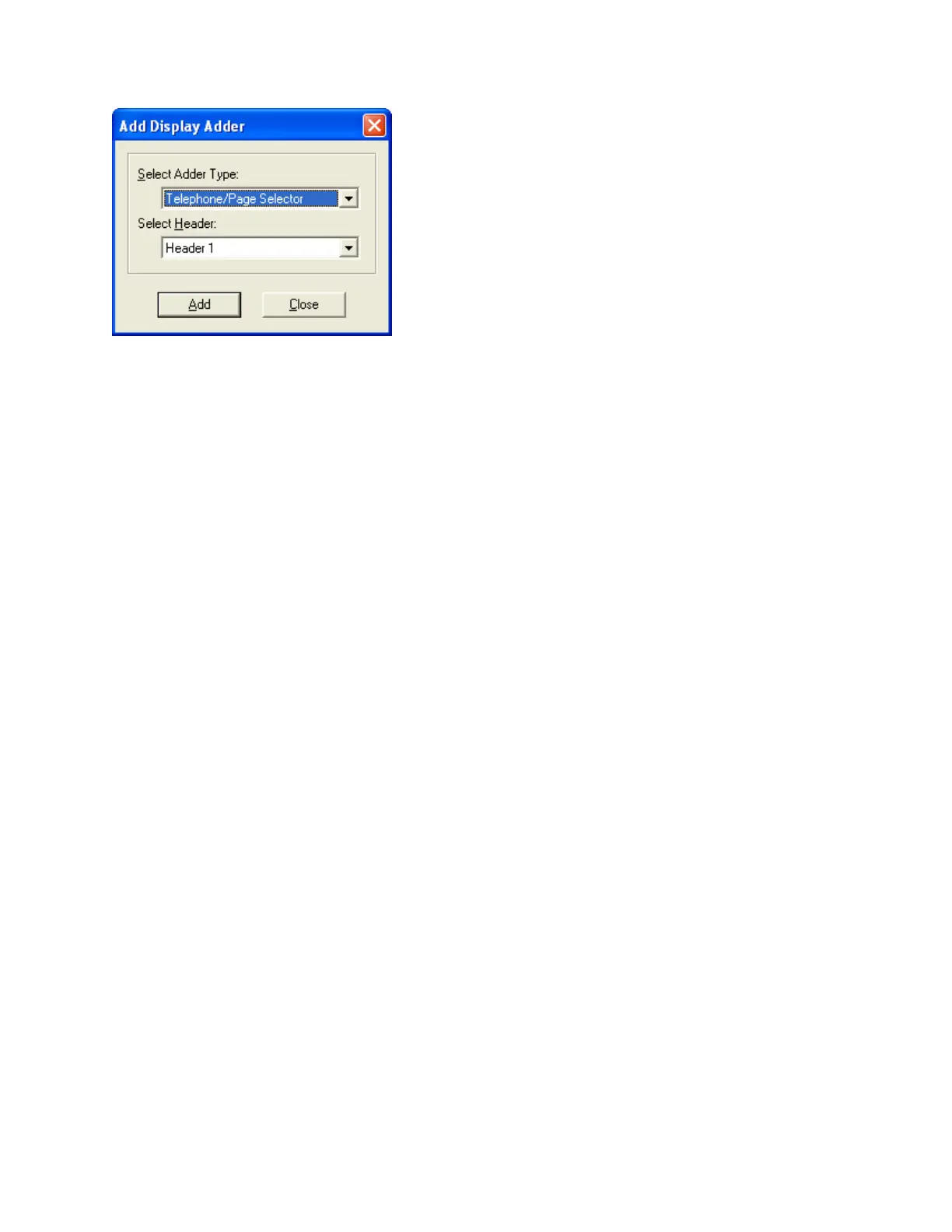
The following dialog appears.
A Telephone/Page Selector is added to the current Annunciator. It has 24 switches, all of
which are initially un-assigned. They can be configured as Zone Sw, Phone Sel, Dig Msg,
Page Select, or Node Ctrl.
Assigning Selector Switches
Any of the 24 switch positions can be edited to be assigned as Phone Sel. You can also
assign each switch a different Tag.
When a Phone Sel switch is highlighted, the lower pane shows its correlations.
Correlating Selector Switches to Telephones
The following constraints are applied to Telephone / Switch correlations.
• Each dual LED/Switch combination on a Selector can control and annunciate
only one telephone (conventional circuit or addressable module).
• If a switch on one CPU (Annunciator) is already controlling a telephone, then no
other switch on that same CPU can be associated with the same telephone.
However, any given telephone module can be controlled from a similar
LED/Switch combination on another CPU.
Typically, a bank of selectors on one Annunciator will mirror those on another. This is not a
requirement though, and the Selector Switches at the Main Panel, for example, could
control all the phone modules on a job, while each remote Annunciator controls only a sub-
set.
Correlations can be added from either end of the relationship.


 To Next Page