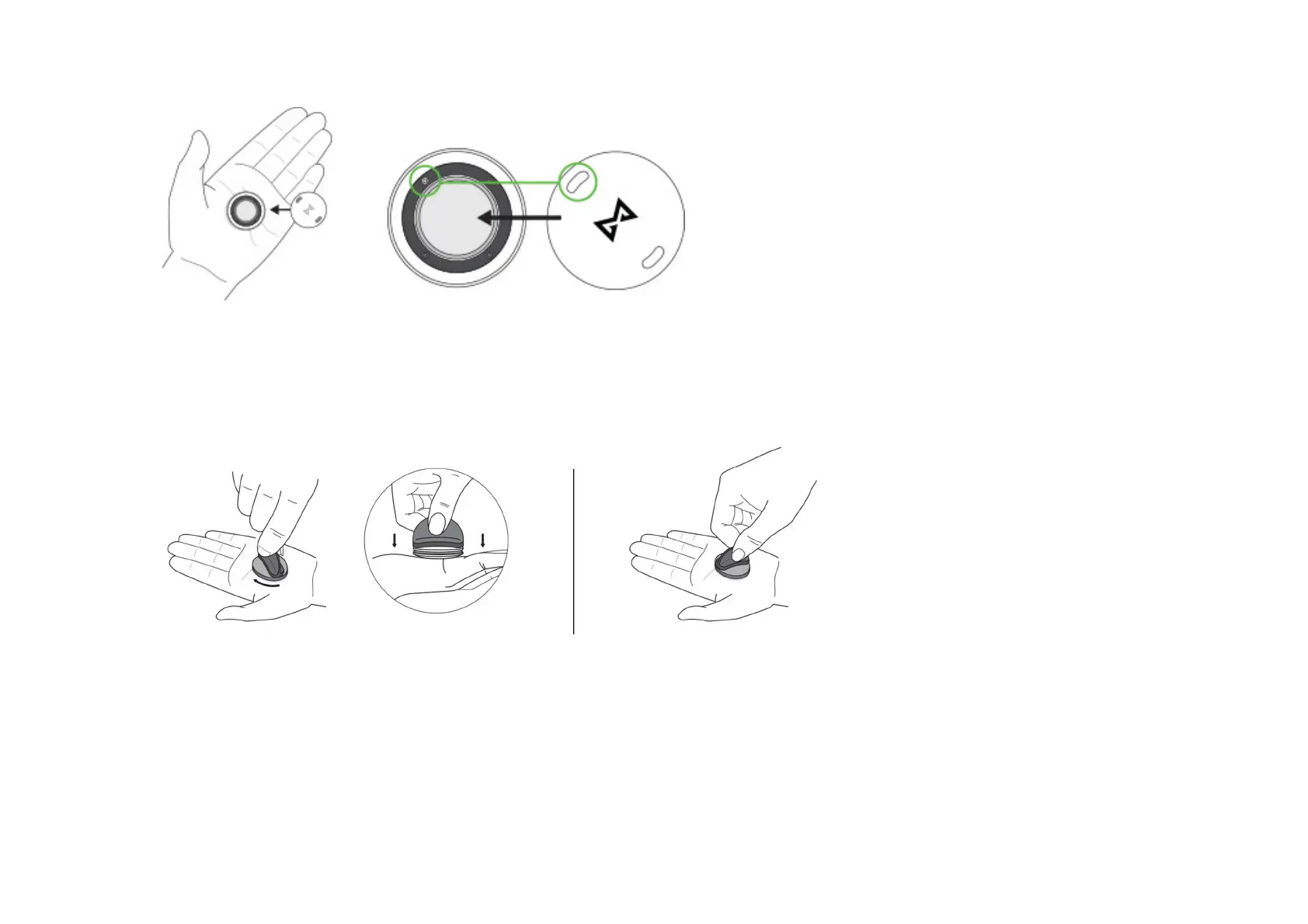
6. Close the Shine 2 body using the Battery Door Tool
Connect the Battery Door Tool to the back, battery door, of the Shine 2. Press down firmly and rotate the Battery Door
Tool to the right until the battery door will not rotate anymore. The Shine 2 will vibrate when closed. If you do not have a
Battery Door Tool, please refer to the section below “How to Close Shine 2 Without a Battery Door Tool”.
HOW TO OPEN SHINE 2 WITHOUT A BATTERY DOOR TOOL
Place Shine 2 in your palm with the back facing up towards you. Place your other palm over the back of the Shine 2,
making good contact with both sides of the Shine 2. Press Shine 2 firmly in-between your palms and rotate to the left. You
should feel the battery door twist to the left. If the battery door doesn’t automatically pop off, then separate the battery door
from the back of the Shine 2.



 To Next Page