CLEANING AND MAINTENANCE
1) Unplug the product before cleaning. After the motor is cooled down, use
a cloth to clean the grille and product surface
2) To ensure adequate air circulation to the motor, keep vents at the rear of
the motor free of dust. Do not disassemble the fan to remove dust
3) Do not use vet cloth or pour water on the product when cleaning. Excess
water may enter the motor and cause electric shock
The Fan require little maintenance. Do not try to fix it by yourself. Refer it to
qualified service personnel if service is needed.
4) Do not use any cleaning solvents like : gasoline, thinner or benzene to
clean the fan
5) Do not use the appliances with metal scouring pad as it may scratch the
surface
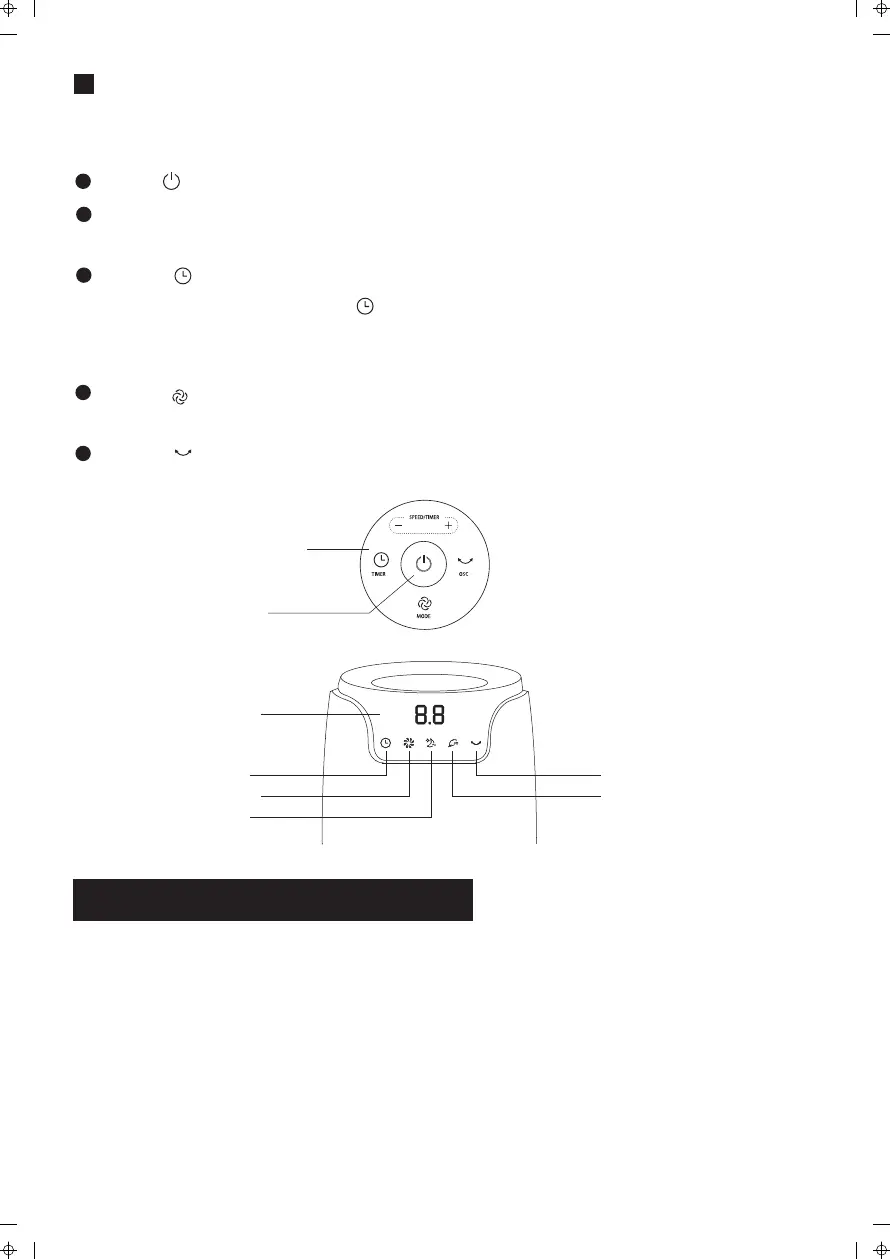
Instruction for operation at control panel
Press a key on the unit to activate a corresponding function
For instance :
Press to start the fan operation, indicator will lights on
Press “+”, “-“ key to adjust the speeds of fan.
(Mode : Sleeping winds and natural winds function only can be adjusted up to 3rd speed)
Press “ ” Key, through the “+”, “-“ to adjust the preferred duration of timer.
- When the fan is on, press the “ ” key to set timer for the fan to shut down
(range 0.5 – 12 hours)
- In stand-by mode, you can pre-set the fan to start in 0.5-12 hours
Press “ ” Key to switch between Normal Wind, Natural Wind and Sleep
Wind Functions
Press “ ” Key : Press this key after activating the fan to oscillate the fan
6) Do not immerse the appliances in water or other liquid
ON/OFF
Oscillate
Natural wind
Sleep wind
Normal wind
Timer
Display window
Control panel


 To Next Page