24
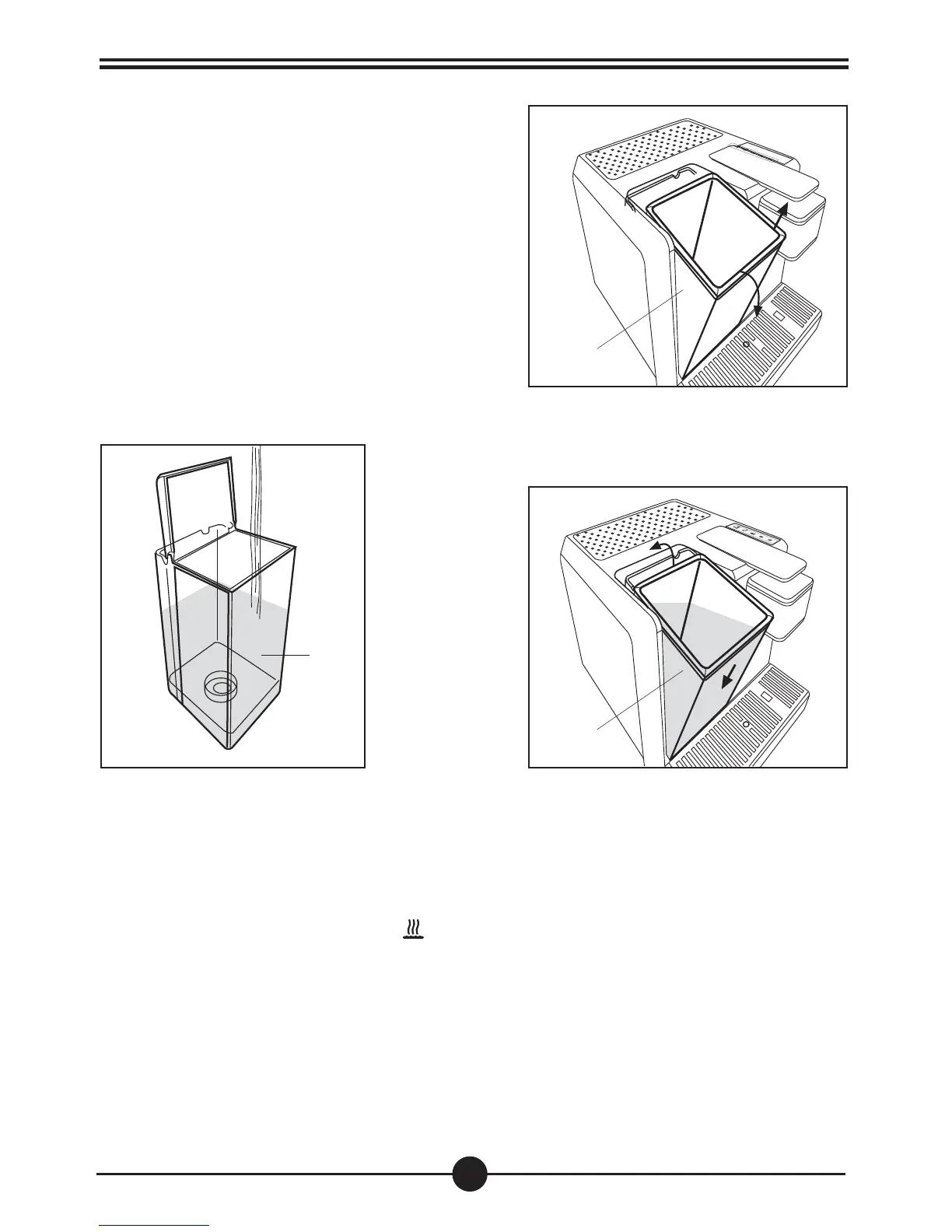
Fill the tank
•Remove the tank (8) by pulling it outward and
lifting. (Fig.1)
• Fill the tank with water (max. 2,5 litres). (Fig.2)
• Replace the tank, tilting it slightly and resting it on
the water valve.Press the top of the machine until
you hear a click. To avoid water leakages, check
that the tank is firmly secured (Fig.3)
Operating the coffee machine
N.B.:
When the water finished warning light
(A) blinks slowly, the tank is empty. All the dispensing
operations in progress are interrupted. Remove the tank (8) and fill it with water to restore machine
operation automatically.
8
Fig. 2
8
8
Fig. 1
Fig. 3



 To Next Page