EasyManua.ls Logo

Mitsubishi Electric LT-3050 - User Manual

Mitsubishi Electric LT-3050
68 pages
Print Icon
To Next Page IconTo Next Page
Loading...
visit our website at
www.mitsubishi-tv.com
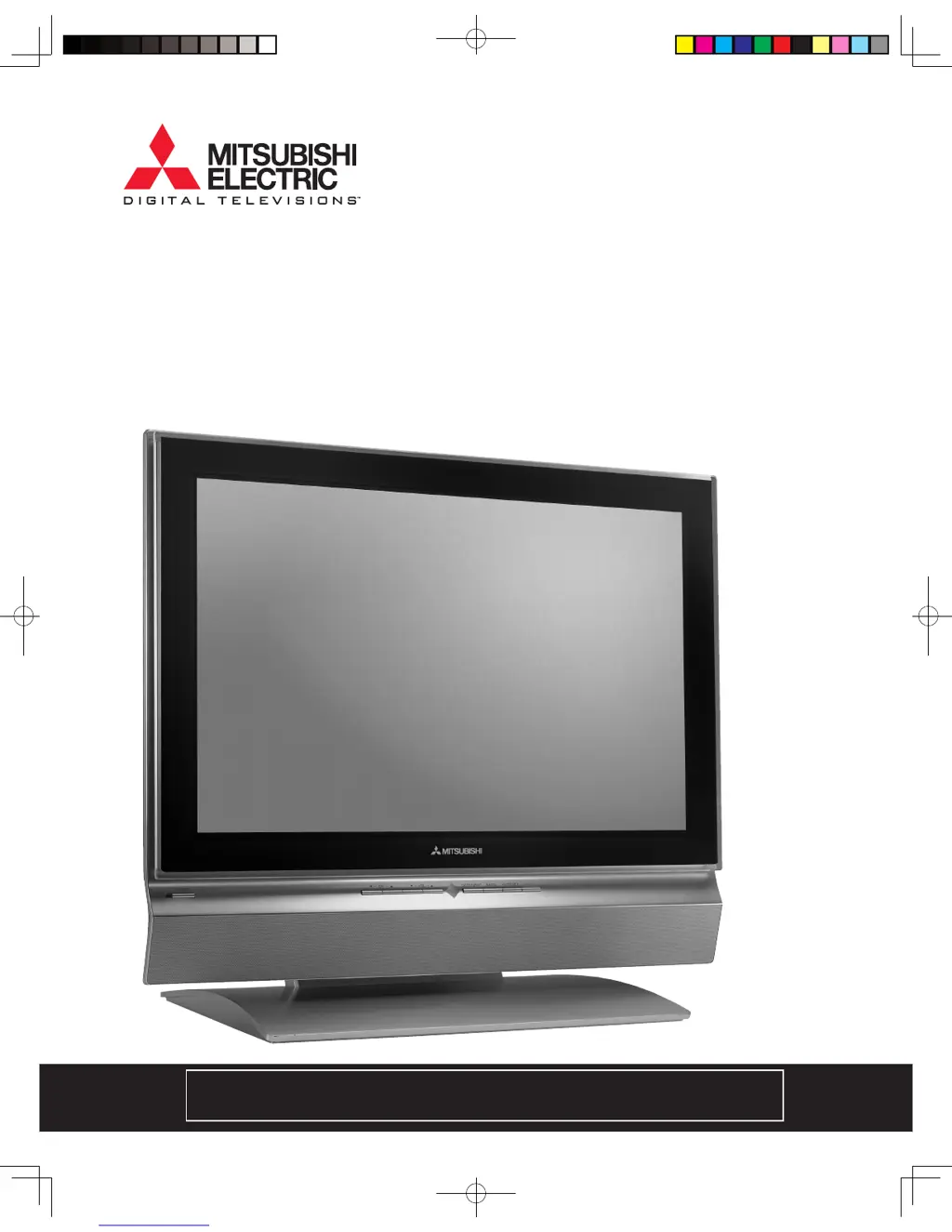
LCD Television Model
LT-3050
Owner’s Guide
LT3050OGv5.ind 04.1.23,11:42AM1

Table of Contents

Questions and Answers

  • K
    kelly76Aug 18, 2025
    How to fix Mitsubishi Electric LT-3050 remote control not working?
    • A
      antonio52Aug 18, 2025
      If the remote control for your Mitsubishi Electric LCD TV isn't working, start by ensuring the batteries are correctly installed. Next, verify that the selector switch is set to “TV”. When using the remote, stay within 20 feet of the TV. Also, avoid using the remote under or near strong fluorescent lighting.
  • M
    Matthew JamesAug 20, 2025
    What to do if there is no sound on Mitsubishi Electric LT-3050 LCD TV?
    • R
      Regina WellsAug 20, 2025
      If there is no sound on your Mitsubishi Electric LCD TV, even when the volume is turned up, first check if the MUTE button is activated. Also, ensure that the “TV Speakers” setting is turned On. The TV’s “Listen to:” setting may be set to SAP.
  • C
    Casey RobinsonAug 23, 2025
    Why sound does not match screen picture on Mitsubishi Electric LT-3050?
    • B
      Brandon ClarkAug 23, 2025
      If the sound doesn't match the picture on your Mitsubishi Electric LCD TV, the TV’s “Listen to:” setting may be set to SAP. If you're using stereo or A/V receiver speakers, check the input selection on the receiver. Also, ensure the audio is connected from the MONITOR OUT on the TV’s back panel.
  • J
    Jennifer HudsonAug 26, 2025
    Why does Mitsubishi Electric LT-3050 take long to respond to channel commands?
    • M
      Miranda SchmidtAug 26, 2025
      If your Mitsubishi Electric LCD TV takes several seconds to respond to channel commands, try pressing ENTER after entering the channel number to avoid delays. Use a three-digit number, for example, 002 for channel 2. Also, avoid using the TV under or near strong fluorescent lighting.
  • C
    chelsea49Aug 28, 2025
    What to do if I cannot access a channel on Mitsubishi Electric LT-3050 LCD TV?
    • J
      Julia VazquezAug 28, 2025
      If you cannot access a channel on your Mitsubishi Electric LCD TV, try using the number keys instead of the CHANNEL up/down buttons. Make sure the channel you want to view is in the TV's memory. Verify that the TV is set to the correct input source for that channel by pressing the DEVICE button. Also, ensure that the V-Chip setting is Off.
  • D
    darrelllucasAug 30, 2025
    Why I cannot see a picture when I play a VCR tape on Mitsubishi Electric LT-3050 LCD TV?
    • B
      brian81Aug 30, 2025
      If you can't see a picture when playing a VCR tape on your Mitsubishi Electric LCD TV, and you've connected your VCR with A/V cables, use the DEVICE button to select the input source (INPUT-1 or INPUT-2) that the VCR is connected to. Also, check your VCR's owner’s guide for further troubleshooting.
  • T
    Timothy JohnsonSep 2, 2025
    Why does my Mitsubishi Electric LT-3050 LCD TV power suddenly turn off?
    • D
      Diana HendersonSep 2, 2025
      If power is suddenly turned off on your Mitsubishi Electric LCD TV, check the TIMER and PC Power Save settings.
  • L
    Laurie HardySep 4, 2025
    How to remove the large black or gray rectangle on Mitsubishi Electric LT-3050 screen?
    • F
      Francisco NormanSep 5, 2025
      If there is a large black or gray rectangle on the screen of your Mitsubishi Electric LCD TV, the TV closed captioning has been set to “text” mode, but there is no text information being broadcast. Turn it Off in the CAPTIONS menu.
  • S
    Steven Conley DDSSep 7, 2025
    How to fix picture out of focus on Mitsubishi Electric LCD TV?
    • W
      Wayne LopezSep 7, 2025
      If the picture on your Mitsubishi Electric LCD TV is out of focus, or the colors are not aligned, check the Sharpness, ColorView, and input signal settings.
  • S
    Sarah SmithSep 9, 2025
    Why is V-Chip Lock not working on my Mitsubishi Electric LCD TV?
    • S
      Stephanie GarzaSep 10, 2025
      If the V-Chip Lock is not working on your Mitsubishi Electric LCD TV, make sure that V-Chip is On. If V-Chip Hours/Lock by Time is currently set to disable the V-Chip lock, the V-Chip will not block programming.

Summary

Important Safeguards

Connecting Your TV

Connecting Antenna or Wall Outlet

Guide for connecting external antennas or wall outlet cables to the TV.

Connecting to Cable Box or VCR

Instructions for connecting cable boxes and VCRs to the TV's antenna input.

Connecting Audio;Video Components

Connecting audio and video devices like VCRs and cable boxes using A/V cables.

Connecting Audio Receiver

How to connect stereo or A/V receivers for enhanced audio output.

Connecting DVD Player or S-Video Device

Connecting DVD players, video game consoles, or other S-Video devices.

Connecting DTV Receiver

Guide for connecting a Digital Television (DTV) receiver to the TV.

Connecting Computer or MonitorLink

Connecting a PC or a Mitsubishi MonitorLink device to the television.

Remote Control Functions

Menu Screen Operations

SETUP Menu Functions

Details on initial setup, channel memorization, and input assignments.

V-CHIP LOCK Menu

Setting up parental controls and blocking programs based on ratings.

PIP and POP Operations

Troubleshooting Guide

Common problems and their solutions for operating the TV.

Mitsubishi Electric LT-3050 Specifications

General IconGeneral
BrandMitsubishi Electric
ModelLT-3050
CategoryLCD TV
LanguageEnglish

Related product manuals