
 Need help?
Do you have a question about the Mitsubishi Electric MELCloud and is the answer not in the manual?
With MELCloud, settings and adjustments to air conditioning, ventilation or heating systems are made via web browser, app or voice commands.
Describes how MELCloud ensures the correct shopping temperature in retail environments.
Enables plant managers to monitor and control systems remotely, receiving immediate malfunction alerts.
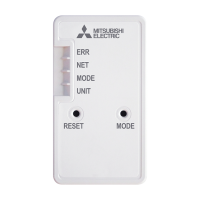
Specifies the required Mitsubishi Electric Wi-Fi adapter for MELCloud integration.
Lists compatible indoor units that can be connected to the MELCloud system.
Crucial safety instructions for installing, setting up, and using the Wi-Fi adapter to prevent injury or damage.
Outlines essential preparations and warnings before commencing the Wi-Fi adapter installation process.
Details necessary preparations and cautions before setting up and operating the Wi-Fi adapter.
Covers pre-installation checks, setup, and usage guidelines for the Wi-Fi adapter.
Presents a visual and technical overview of the Wi-Fi adapter product.
Lists and illustrates all the components included in the Wi-Fi adapter package.
Explains the process of connecting the Wi-Fi adapter to compatible indoor units.
Provides specific instructions for mounting the Wi-Fi adapter on ATA indoor units.
Details the mounting procedures for the Wi-Fi adapter on ATW indoor units.
Guides users on how to switch on and verify the correct operation of the installed Wi-Fi adapter.
Describes the initial LED status of the Wi-Fi adapter before connection to the router.
Explains the different modes for connecting the Wi-Fi adapter to the router (WPS-PUSH, Access Point, WPS-PIN).
Step-by-step guide for configuring the Wi-Fi adapter using the WPS-PUSH connection method.
Details the procedure for setting up the Wi-Fi adapter using the access point mode.
Instructions for setting up the Wi-Fi adapter via WPS-PIN mode connection.
Details how to access MELCloud using mobile devices and applications.
Explains how to access MELCloud through a web browser on a personal computer.
Guides new users through the initial setup and registration process for MELCloud.
Describes the different ways to view and navigate connected systems in MELCloud.
Details how to navigate through the main menu options of the MELCloud application.
Presents the system overview screen for ATA and Ecodan units.
Configuration of frost protection settings for ATA units within MELCloud.
Covers features for controlling multiple units simultaneously and setting holiday schedules.
Explains how to set a period of absence to reduce energy consumption and prevent unauthorized use.
Details how to set up daily or weekly schedules for controlling system operations.
Allows personalization of the MELCloud interface by uploading custom images.
Procedures for modifying system information, locations, or deleting entries in MELCloud.
Enables creation and management of predefined settings for multiple systems.
Step-by-step guide to creating custom scenarios for system control.
Details on how to specify settings for individual systems within a scenario.
Explains how to edit and set specific features for different unit types.
Access and display of collected data, such as temperature history and energy usage.
Illustrates energy consumption display for multisplit systems and unit compatibility.
Allows creation of temporary or permanent guest accounts with restricted access.
Describes how to restrict certain features when using an optional cable remote control.
Explains how to control units using voice commands with Alexa and Google Home.
Access point for managing user accounts, equipment, and application preferences.
Lists compatible indoor and outdoor units for MELCloud integration.
 General
| Connection | Wi-Fi |
|---|---|
| Multi-language Support | Yes |
| Compatibility | Mitsubishi Electric air conditioning systems |
| Remote Control | Yes |
| App Support | MELCloud app (iOS and Android) |
| Energy Monitoring | Yes |
| Scheduling | Yes |

 To Next Page
