EasyManua.ls Logo

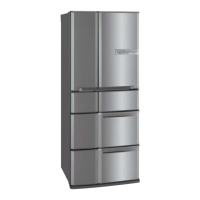
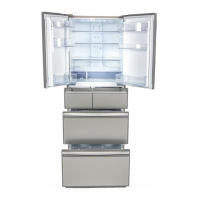
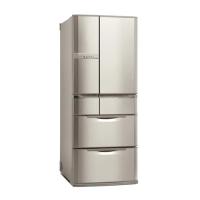
Mitsubishi Electric MR-E62S - User Manual

Mitsubishi Electric MR-E62S
36 pages
Print Icon
To Next Page IconTo Next Page
Loading...
R600a
MR-E62S
OPERATING INSTRUCTIONS
Refrigerator-Freezer
MODEL
AZ79L109H01H1.indd1 2011/09/0917:12:02

Questions and Answers

  • S
    Stephanie JosephAug 17, 2025
    Why is my Mitsubishi Electric Refrigerator not cooling well and ice melts?
    • C
      carrolljacksonAug 18, 2025
      If your Mitsubishi Electric Refrigerator isn't cooling well, not making much ice, or the ice is melting, check the temperature setting. If it's set to “L”, change it to “M” or “H”. Also, consider that it takes about 4 to 5 hours for the refrigerator to cool after installation, and up to 24 hours in the summer to make ice. Ensure that heat discharging is not being blocked by verifying the refrigerator is installed correctly and checking the quantity of food inside, as well as ensuring the door is not ajar.
  • J
    Jennifer CastilloAug 20, 2025
    Why my Mitsubishi Electric Refrigerator cannot make ice?
    • P
      Pedro MillerAug 20, 2025
      If your Mitsubishi Electric Refrigerator cannot make ice and the water in the tank stays at the same level, consider these potential causes: * It takes about 4 to 5 hours after first starting operation for the refrigerator to cool, and up to about 24 hours in the summer to make ice. * Ensure the ice tray is installed correctly by setting the ice tray lock lever to the correct position. * Check whether food or other objects have been left in the ice storage box and remove them. Also, spread the ice out flat all the way to the front.
  • R
    Roger GomezAug 22, 2025
    What to do if condensation forms in my Mitsubishi Electric MR-E62S?
    • E
      Eugene WilsonAug 23, 2025
      If you notice condensation on the outer walls or inside your Mitsubishi Electric Refrigerator, frost in the freezer compartment, or water dripping onto the floor, it could be due to the doors being opened frequently or a door being ajar. Try to minimize the time the doors are open to prevent this issue.
  • K
    Kathryn PerezAug 26, 2025
    Why does the door alarm sound on my Mitsubishi Electric Refrigerator?
    • J
      James GambleAug 26, 2025
      If the door alarm sounds on your Mitsubishi Electric Refrigerator, it means the door of the refrigerator, ice making, or freezer compartments is open. Ensure you close the door to stop the alarm.
  • A
    Andrew WoodAug 27, 2025
    Why is food freezing in my Mitsubishi Electric MR-E62S compartments?
    • S
      sarah67Aug 27, 2025
      If food is freezing in compartments other than the freezer in your Mitsubishi Electric Refrigerator, check the following: * Ensure the temperature on the control panel is not set to “H”; if it is, set it to “M”. * If you are storing food with a lot of moisture at the rear of the shelf, move it to the front. * If the surrounding temperature is 5°C or less, incorrect installation or a gap caused by a foreign object may be causing cold air to flow in reverse.
  • B
    Bryce ColeAug 30, 2025
    Why won't the doors close on my Mitsubishi Electric Refrigerator?
    • E
      Erin LopezAug 30, 2025
      If the doors of your Mitsubishi Electric Refrigerator open easily or do not close, it might be due to: * A door making contact with food or a case, or too much food packed inside. Try to store food so that the door does not make contact with objects when closed. * Food fallen behind a case in a drawer door, or the power cord or another object trapped between the refrigerator and a door. Remove any such objects.
  • I
    isullivanSep 1, 2025
    Why supercool frozen food from my Mitsubishi Electric Refrigerator doesn't taste good?
    • F
      Francis JosephSep 2, 2025
      If supercool frozen food does not taste good when using your Mitsubishi Electric Refrigerator, ensure that you have pressed the SUPERCOOL button and that the supercool freezing indicator is displayed. Also, after changing the versa compartment to “SOFT FZR”, allow about 2 hours for the temperature to stabilize before performing supercool freezing.
  • S
    Stanley RodriguezSep 4, 2025
    Why is the ice small or joined together in my Mitsubishi Electric MR-E62S Refrigerator?
    • H
      Herbert HinesSep 4, 2025
      If the ice in your Mitsubishi Electric Refrigerator is small or joined together, it may be because the ice has been stored inside for a long time. If ice is stored for an extended period, the cubes may join together or shrink.
  • R
    Renee FletcherSep 7, 2025
    How to perform supercool freezing on my Mitsubishi Electric MR-E62S?
    • A
      Amy JimenezSep 7, 2025
      If you cannot perform supercool freezing and the lamp does not light up on your Mitsubishi Electric Refrigerator, ensure that the compartment display is set to “VR” and the temperature setting display is set to “SOFT FZR”. If these settings are correct, change the setting of the versa compartment to soft freezing, and then press the SUPERCOOL button.
  • A
    amanda32Sep 9, 2025
    Why does my Mitsubishi Electric Refrigerator interfere with my TV?
    • L
      lcervantesSep 9, 2025
      If the noise from your Mitsubishi Electric Refrigerator interferes with televisions or other devices, the refrigerator might be installed too close to them. Try installing the refrigerator away from electronic devices such as televisions.

Summary

Function Overview

Revolving Shelf

Features a shelf that rotates for easy access to items, enhancing usability.

Compartment Layout

Illustrates the refrigerator, freezer, and other internal compartments.

Advanced Freezing Features

Highlights Supercool Freezing and Soft Freezing capabilities for food preservation.

HIKARI Air Treatment

Explains the HIKARI LED and filter for air quality control and deodorization.

Silent Design

Notes the low noise level of the refrigerator during operation.

Safety Precautions

Warning Indicators

Explains symbols used for warnings and cautions in the manual.

Installation & Electrical Safety

Covers safe placement, anchoring, and electrical connection guidelines.

Power Plug Safety

Details precautions for using the power plug and cord to prevent hazards.

Transportation Safety

Advises on safe handling and moving the refrigerator to prevent injury.

Operational and Environmental Safety

Electrical Appliance Usage

Warns against using unauthorized electrical appliances inside the refrigerator.

Refrigerant Circuit Safety

Advises on handling refrigerant leaks and damaged pipes to prevent fire.

General Cautions

Lists general precautions like touching frozen items, child safety, and door closure.

Installation and Operation Guide

Refrigerator Installation

Details recommended placement for ventilation, stability, and reducing power costs.

Connecting Power Supply

Explains how to connect the power supply, ensuring proper grounding.

Initial Cooling Period

Notes that cooling takes time after initial power-up, advising early activation.

Refrigerator Adjustment and Anchoring

Leveling Supports

Instructions for adjusting supports to ensure the refrigerator is level and stable.

Earthquake Preparedness

Advises on securing the refrigerator against earthquakes to prevent tipping.

Placing Food Inside

Compartment Overview

Visual guide to the refrigerator, freezer, and other compartments for food placement.

Temperature Notes

Explains how temperature is measured and factors affecting fluctuations.

Food Storage Guidelines

Refrigerator Compartment Storage

Recommends storage for daily use items and foods not intended for freezing.

Versa Compartment Storage

Details soft freezing and supercool freezing for various food types.

Freezer Compartment Storage

Guides for long-term food storage, including frozen foods and ice cream.

Vegetable Compartment Storage

Tips for storing vegetables and fruit to maintain freshness.

Using the Control Panel

ECO Mode and ECO Guide

Explains power-saving modes and their indicators for energy efficiency.

Compartment Selection

Describes how to switch between compartment displays for temperature control.

Temperature Settings

Details how to set compartment temperatures using the control panel.

Control Panel Functions

Child Safety Lock

How to lock/unlock the control panel to prevent accidental operations.

Supercool Freezing Operation

Instructions for activating and using the supercool freezing feature.

Ice Making Mode Selection

How to select different ice making modes (REG, QCK, STOP).

Door Alarms and Display Issues

Explains door alarms and what blinking displays indicate potential issues.

Compartment Temperature Control

Setting Temperatures and Fast Cooling

Detailed steps for adjusting temperatures and using the fast cooling function.

Ice Making Mode Selection

Ice Making Operations and Precautions

Covers ice making factors, quick ice making, and tray safety.

Versa Compartment Temperature Control

Setting Versa Temps and Freezing Differences

Steps to set Versa compartment temperatures and compares freezing modes.

Supercool Freezing Guide

Activating and Using Supercool Freezing

How to activate, use, and understand the results of supercool freezing.

Supercool & Soft Freezing Tips

Food Storage and Freezing Advice

Tips on containers, hot food, specific foods, and meat/fish storage.

Supercool Freezing Recipes & Notes

Food Placement and Unsuitable Foods

Guidance on food placement, recipes, and foods not suitable for freezing.

Power Saving Features

ECO Mode, ECO Guide, and Tips

Explains power-saving modes, indicators, and how to improve efficiency.

Other Control Panel Settings

Child Safety Lock and System Reset

How to use the child safety lock and reset control panel settings.

Refrigerator Compartment

Shelf Usage and Internal Features

Precautions for revolving shelves and details on internal features like AUTO Shelf.

Odor Prevention

Advice on wrapping foods to prevent odor transfer between items.

Refrigerator Compartment Adjustments

Moving and Adjusting Shelves;Pockets

Instructions for adjusting or removing shelves, pockets, and the AUTO Shelf.

Freezer Compartment

Freezer Case and Bottle Storage

Precautions for using freezer cases and storing bottles safely.

Versa Compartment

Tray Function and Blue LED

Describes the aluminum tray for quick cooling and the blue LED's operation.

Vegetable Compartment

LED Nutrients and Storage Tips

Explains the LED's role in nutrient boost and provides storage advice.

Automatic Ice Maker

Components and Usage Precautions

Identifies ice maker parts and outlines precautions for proper use.

Ice Making Operation

Making and Stopping Ice Production

Detailed steps for ice making and how to stop it for long periods.

Cleaning the Automatic Ice Maker

Cleaning Water Tank and Ice Tray Parts

Steps for cleaning the water tank, supply pipe, and ice tray.

Ice Maker Component Reassembly

Reassembling Water Supply Pump and Pipe

Detailed steps for correctly reassembling the water supply pump and pipe.

Removing and Cleaning Parts

Shelf and Pocket Removal;Cleaning

Instructions for removing and cleaning shelves, pockets, and the flexishelf.

Cleaning Internal Compartments

Rear, Floor, and Compartment Cleaning

How to clean the refrigerator's rear, floor, and internal compartment parts.

Troubleshooting Other Issues

Power, Movement, and Freezer Temp Issues

Actions for power outages, moving, and adjusting freezer temperature.

Handling Demonstration Mode

Procedures to cancel the demonstration operation mode.

Specifications

Temperature Guide and Parts List

Details temperature settings and lists refrigerator parts with quantities.

Troubleshooting Common Problems

Cooling, Ice, and Food Freezing Issues

Diagnosing issues with cooling, ice making, and unexpected food freezing.

Troubleshooting Other Issues

Temperature, Alarm, and Pipe Freezing

Resolving temperature, alarm, and water pipe freezing problems.

Troubleshooting Noise Issues

Identifying Operating Noises

Explains common and abnormal noises during refrigerator operation.

Mitsubishi Electric MR-E62S Specifications

General IconGeneral
ModelMR-E62S
CategoryRefrigerator
Voltage220-240V
Frequency50Hz
Energy Efficiency3 Star
ColorSilver

Related product manuals