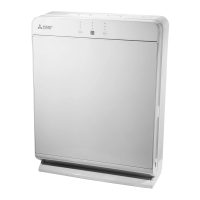
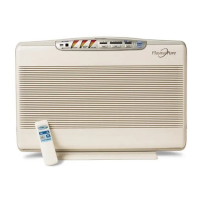
This document serves as a service manual for the Mitsubishi Electric Plasma Quad Connect, specifically for models MAC-100FT-E and MAC-110FT-E. It provides essential information for troubleshooting and maintaining the device, which is designed to enhance indoor air quality.
Function Description:
The Plasma Quad Connect is an optional accessory for Mitsubishi Electric indoor air conditioning units, designed to improve air quality by utilizing plasma technology. While the manual doesn't detail the exact mechanism, "Plasma Quad" typically refers to a system that generates plasma to neutralize airborne pollutants such as viruses, bacteria, allergens, and odors. The device connects to compatible indoor units, integrating its air purification capabilities with the existing air conditioning system. The manual outlines how to connect the Plasma Quad Connect, both as a standalone accessory and in conjunction with other interfaces, to ensure proper operation. Its primary function is to provide an additional layer of air purification within the conditioned space.
Important Technical Specifications:
The manual provides several key technical specifications and operational parameters relevant for service and installation:
- Models Covered: MAC-100FT-E and MAC-110FT-E.
- Connectable Indoor Units:
- For MAC-100FT-E: MSZ series, PKA series, PKFY series, PEFY series, PEAD series, and SEZ series. All these units must have CN105, which is the connector for optional remote control parts.
- For MAC-110FT-E: PEFY series, MEXZ series, PEAZ series, and PEAD series. These units also require CN105.
- A note emphasizes that some indoor units may not be compatible, and users should consult their dealer for specific model details.
- Power Supply: The device operates with a voltage of 230 V (±10%) between terminals L and N on its terminal block. This is a critical parameter for troubleshooting power-related issues.
- DIP Switch Settings (SW11-1):
- When only the Plasma Quad Connect is connected, SW11-1 should be set to OFF.
- When the Plasma Quad Connect is connected with other interfaces, SW11-1 should be set to ON. This setting is crucial for correct system configuration and communication.
- LED Indicators:
- Operation Lamp (or LED 73 on the printed circuit board): Indicates the general operational status.
- LED 74 (Orange): Indicates communication status.
- Blinking: Normal communication.
- Off: Abnormal communication.
- LED 71 / LED 73 (White): Indicates PQC (Plasma Quad Connect) status.
- Lit: PQC ON.
- Off: PQC OFF.
- Blink: Abnormal.
- The manual notes that LED 71 is on the display printed circuit board, and both LED 71 and LED 73 show the same lighting pattern for PQC status.
- Start-up Time:
- The operation lamp (or LED 73) takes approximately 5 seconds to light up after the breaker is turned on.
- LED 74 (orange) starts blinking approximately 3 minutes after the breaker is turned on. These delays are important for accurate troubleshooting.
- Internal Components for Troubleshooting: The manual references specific points on the printed circuit board for diagnosis, such as JPS/JPG (jumper wires for short-circuiting during diagnosis) and the filter cover.
Usage Features:
The manual primarily focuses on service and maintenance rather than end-user features. However, it implicitly highlights:
- Integration with AC Units: The Plasma Quad Connect is designed to work seamlessly with compatible Mitsubishi Electric indoor units, leveraging their existing control systems.
- Optional Accessory: It's an add-on component, allowing users to enhance their air conditioning system with air purification capabilities as needed.
- System Configuration: The ability to connect the device either alone or with other interfaces (like MAC-334IF etc.) provides flexibility in system setup. The DIP switch setting (SW11-1) is a key feature for configuring this integration.
Maintenance Features:
The service manual provides detailed procedures for diagnosing and resolving issues, which are crucial for maintenance:
- Failure Diagnosis Flowcharts: Comprehensive flowcharts are provided for two scenarios:
- When only the Plasma Quad Connect is connected.
- When the Plasma Quad Connect is connected with other interfaces.
These charts guide technicians through a step-by-step process, starting from checking the air conditioner's operation, then the Plasma Quad Connect's operation lamp, power supply voltage, DIP switch settings, and LED indicators.
- Specific Diagnostic Steps:
- Voltage Measurement: Instructs to measure voltage between L and N terminals (230 V ±10%).
- DIP Switch Verification: Emphasizes checking SW11-1 setting based on the connection scenario.
- LED Indicator Interpretation: Provides a table to interpret the meaning of LED 71/73 (white) and LED 74 (orange) lighting patterns for PQC status and communication.
- Jumper Wire Short-circuiting (JPS/JPG): A specific step in the failure diagnosis involves short-circuiting JPS/JPG on the printed circuit board with a crocodile clip. This is likely a diagnostic mode to bypass certain functions or test specific circuits.
- Filter and Plasma Electrode Installation Check: The manual instructs checking if the plasma electrode and filter are installed properly, indicating these are user-replaceable or regularly maintained components.
- Connection Checks: Advises checking connections to CN105 of the indoor unit and between the Plasma Quad Connect and other interfaces.
- Replacement Guidance: If all checks pass and the device still operates abnormally, the manual recommends replacing the Plasma Quad Connect itself.
- Safety Precautions: A significant portion of the manual is dedicated to safety warnings and cautions, which are integral to safe maintenance practices:
- Do Not Disassemble/Modify/Repair: Users are explicitly warned against self-repair to prevent electric shock, fire, or injury.
- Wet Hands/Water Splash: Warnings against touching with wet hands or splashing water to prevent damage, electric shock, or fire.
- Professional Installation: Emphasizes that installation should be done by a professional installer.
- Power Disconnection: Instructs to disconnect power or turn off the breaker if the unit is dropped, or if the holder/cable is damaged, or in case of abnormal conditions (e.g., burning smell).
- Environmental Restrictions: Advises against using or keeping the product in direct sunlight, poorly ventilated areas, areas with rain/fog, extremely high/low temperatures, or dusty areas, which are important considerations for installation and longevity.
- Child Safety: Warnings about keeping the device out of reach of children and supervising children around the appliance.
- Stable Support: Caution against stepping on unstable stepstools during setup or cleaning.
In summary, the Mitsubishi Electric Plasma Quad Connect service manual provides a structured approach to diagnosing and resolving operational issues for models MAC-100FT-E and MAC-110FT-E. It details compatibility, power requirements, configuration settings via DIP switches, and the interpretation of LED indicators, all supported by comprehensive troubleshooting flowcharts and critical safety guidelines. The emphasis is on professional service and adherence to specific diagnostic procedures to ensure the device's correct function and safety.

 Need help?
 General

 To Next Page