Overview of the Remote Control (cont.)
®
®
®
quick view button (QV)
Use this button to return to the previously viewed channel.
preview button (PREVIEW)
Use this button to scan through the T_'s channels.
audio adjustment button (MTS) (CS-_0203, CS-20203C only)
Use this button to change the TV's audio setting.
_) mute button
Use this button to turn of["the sound a:nd display the captions.
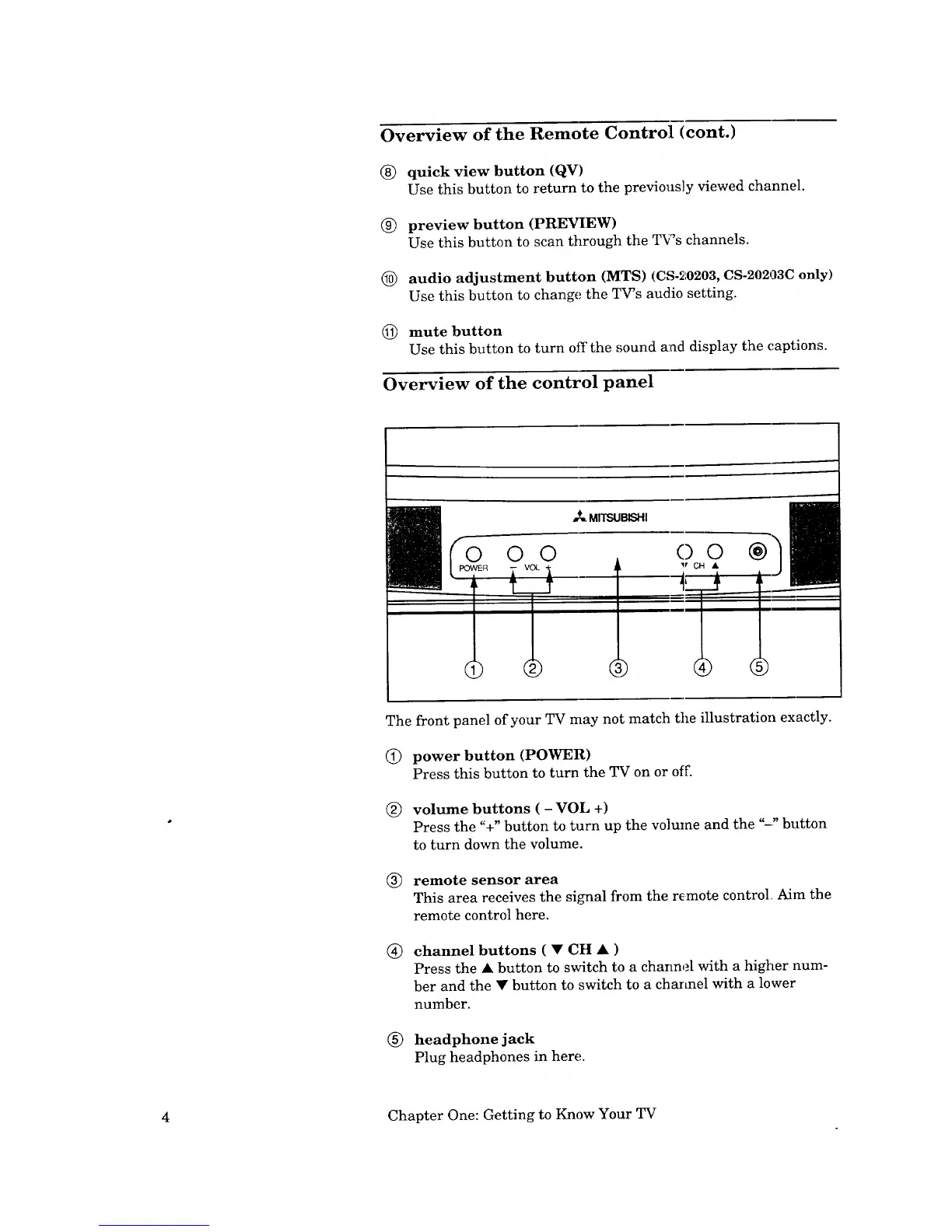
Overview of the control panel
The front panel of your TV may not match tile illustration exactly.
(_) power button (POWER)
Press this button to turn the TV on or off.
(_) volume buttons ( - VOL +)
Press the %" button to turn up the volume and the "-" button
to turn down the volume.
® remote sensor area
This area receives the signal from the remote control Aim the
remote control here.
® channel buttons ( • CH • )
Press the • button to switch to a channel with a higher num-
ber and the • button to switch to a channel with a lower
number.
® headphone jack
Plug headphones in here.
4 Chapter One: Getting to Know Your TV


 To Next Page
 Loading...
