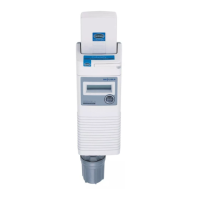
The provided document is a Quick Startup Guide for the Miura BP-201 and EJ-210 devices, offering a comprehensive overview of their setup, configuration, and maintenance.
Miura BP-201 Quick Startup Guide
The Miura BP-201 is a boiler system operation panel designed to manage and control multiple boilers within a system, including steam boilers, WP2/ML3 units, non-steam boilers, and other connected equipment. It acts as a central control unit, facilitating communication between various components and allowing for system-wide adjustments.
Function Description:
The BP-201 serves as the primary interface for managing a boiler system. Its core functions include:
- System Control: It controls the operation of connected boilers, allowing for centralized management of steam production.
- Communication Hub: The BP-201 communicates with various devices, including individual boilers (EJ-210 controllers), WP2/ML3 units, and a cellular MOM (Miura Online Maintenance) system. This enables real-time monitoring and remote control capabilities.
- ID Management: It allows for the assignment and management of unique IDs for each piece of equipment in the system, ensuring proper identification and communication.
- Pressure Management: The device monitors and controls boiler pressure settings, including upper and lower limits, and can adjust the pressure control range to prevent hunting and overshoot.
- Pattern Operation: Users can set control patterns, either through the panel/external input or linked to a weekly program, to automate boiler operation based on demand.
- Load Following: The BP-201 supports load-following functions, optimizing boiler output based on system demand to maintain stable pressure.
- Alarm Monitoring: It monitors for various alarms and errors within the system, providing alerts and diagnostic information.
- Data Logging and Reporting: The system can log operational data and generate reports, which can be accessed via the MOM-T/RT laptop.
Important Technical Specifications:
While specific numerical technical specifications are not extensively detailed in the provided guide, the document highlights several key operational parameters:
- ID Settings: Equipment IDs are set sequentially, with steam boilers starting from "01", WP2/ML3 from "35", non-steam boilers from "50", other equipment from "70", and the BP-201 itself from "90" (or "90" and "91" for two panels). The online communication interface unit EO is set to "99".
- Network Number: The network number is typically set to "1" by turning OFF both NET_No. DIP switches 1 and 2. Other settings (ON/OFF combinations) allow for network numbers 2, 3, and 4.
- Pressure Sensor Range: The guide indicates options for pressure sensor ranges, such as "1: 128 psi", "2: 276 psi", and "3: 414 psi". The standard sensor is rated up to 276 psi.
- Total Steaming Capacity (TTL STM): This setting represents the total steaming capacity of the system, calculated by summing the capacity of all connected boilers (e.g., two LX-300 boilers = 10,350 x 2 = 20,700, rounded up to the nearest hundreds).
- Backup Control Pattern: The setting for "Backup control pattern" is "2", and "Backup COMB COR factor" is "0.00". These values are currently not used in the software revision.
- Fluc Range: Recommended between 30%-40% of total steam flow if load fluctuation is unknown.
- Max Output: Should be set to the total possible steam flow of the system.
- Pressure Hierarchy: Boiler pressure > EJ-210 Pressure > BP-201 Pressure.
Usage Features:
- Intuitive Interface: The BP-201 utilizes a touch panel for settings and monitoring, making it user-friendly.
- MOM-T/RT Laptop Integration: A dedicated laptop (running MOM version 1.7.19 or higher) can be connected to the BP-201 CPU board (port CN2-2) for advanced configuration, registration, and real-time monitoring.
- Maintenance Switch (SW6): A physical switch allows users to enter a maintenance mode, enabling "save setting via communication" and other diagnostic functions.
- Unit Settings: Users can select between SI (x0.1MPa or MPa) and US (psi) units for pressure readings.
- Control Pattern Options: The system supports various control patterns, including panel/external input operation and linking to a weekly program for automated control.
- Boiler Hierarchy: Boilers are registered into a hierarchy, allowing for organized management and display.
- Contact Inputs: The BP-201 can be configured for various contact inputs, such as pressure switch contacts (PRS SW1).
Maintenance Features:
- Diagnostic Tools: The MOM-T/RT laptop provides extensive diagnostic capabilities, including real-time monitoring of all connected boilers (indicated by green status for communicating devices).
- Data Backup and Restore: The system supports ROM data backup and reset history data functions, aiding in system recovery and troubleshooting.
- Program Updates: The touch panel program can be updated, ensuring the system runs on the latest software.
- Automatic Setting: The EJ-210 (boiler controller) features an "EJ Auto Setting" mode for automatic configuration of boiler parameters.
- Maintenance Mode: A dedicated maintenance mode allows technicians to perform detailed settings and checks without affecting live operation.
- Troubleshooting Guidance: The guide provides specific instructions for checking installations, DIP switch settings, and error messages (e.g., "The setting data is not correct").
Miura EJ-210 Quick Startup Guide
The Miura EJ-210 is a boiler controller designed to manage individual boilers. It works in conjunction with the BP-201 as part of a larger boiler system.
Function Description:
The EJ-210 primarily controls the operation of a single boiler. Its key functions include:
- Individual Boiler Control: It manages the firing rate and other operational parameters of the connected boiler.
- Communication with BP-201: The EJ-210 communicates its status and receives control commands from the central BP-201 unit.
- ID Assignment: Each EJ-210 is assigned a unique ID corresponding to its boiler number within the system.
- Pressure Monitoring: It monitors the local boiler pressure, which should be set higher than the BP-201's pressure setting.
Important Technical Specifications:
- ID Settings: Boiler IDs are set sequentially, starting from "01" for Boiler 1, "02" for Boiler 2, and so on.
- Network Number: Similar to the BP-201, the network number is typically set to "1" by turning OFF both NET_No. DIP switches 1 and 2.
- Steam Volume Setting: The guide provides a table for setting the steam volume (LBS/HR) based on the boiler model (e.g., LX-50 = 1750 lbs/hr, LX/EX-300 = 10350 lbs/hr).
Usage Features:
- DIP Switch Configuration: The EJ-210 uses DIP switches for setting network and ID numbers, as well as initialization and function settings.
- Maintenance Set Mode: A dedicated maintenance set mode allows for automatic and manual setting of boiler parameters.
- Model-Specific Settings: The device supports model-specific settings for boiler operation.
Maintenance Features:
- Automatic Setting: The "EJ Auto Setting" function automatically configures boiler parameters, simplifying setup.
- Installation Checks: The guide emphasizes checking for proper installation using the EJ-210 installation manual.
- DIP Switch Verification: Users are instructed to verify DIP switch settings for correct operation.
Both guides stress the importance of using the full Start-up Operation Manuals for detailed instructions, as these quick guides are intended as supplements. The overall system is designed for efficient, centralized control and monitoring of Miura boiler installations, with robust communication and diagnostic capabilities.

 Need help?
 General

 To Next Page