Need help?
Do you have a question about the MIXVIBES U-Mix Control Pro and is the answer not in the manual?
Outlines the process for connecting the device for basic audio output.
Details connecting turntables or CD players to the U-MIX CONTROL PRO's internal mixer.
Explains connecting MP3 players or iPods to the internal mixer for playback.
Describes connecting the controller to an external DJ mixer.
Step-by-step guide for installing the CROSS DJ software on Windows.
Procedures for installing the CROSS DJ software on macOS.
Instructions on how to open and start the CROSS DJ software.
Process for activating the software using a provided license key.
Configuration of audio inputs, outputs, and routing modes within the software.
Steps for setting up MIDI input devices and managing custom mappings.
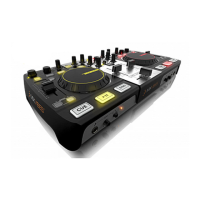
Detailed explanation of buttons, knobs, and features on the controller's top surface.
Information on the various input/output ports and switches on the rear of the unit.
Description of the microphone and headphone controls located on the front panel.
Overview of the CROSS DJ software's menu structure and main interface elements.
Description of the essential information presented in the software's HUD.
Explanation of how to use the software's player controls for audio file playback.
Details on the features and operation of the software's integrated mixer.
How to use the dock for organizing and managing media files and playlists.
Guide on using the browser to find, view, and load audio tracks.
How to use the preview deck to audition tracks before loading them into players.
Instructions for importing music libraries from local computer directories.
Process for importing music tracks directly from an Apple iTunes library.
Guide on downloading and installing the latest version of the MixVibes software.
Steps for connecting and playing music from turntables, CD players, or MP3 devices.
Instructions for retrieving a lost software license key.
Method to determine the current firmware version installed on the U-MIX CONTROL PRO.
Detailed process for updating the controller's internal firmware to the latest version.
Information regarding the controller's compatibility with DJ software other than CROSS DJ.
Instructions on how to record live DJ mixes using the software and controller.
 General
| Type | DJ Controller |
|---|---|
| Brand | MIXVIBES |
| Number of Channels | 2 |
| Connectivity | USB |
| Software | Cross DJ |
| Audio Interface | Integrated |
| Jog Wheels | 2 |
| EQ | 3-band EQ per channel |
| Crossfader | Yes |
| Power | USB powered |
| MIDI | Yes |
| Compatibility | PC/Mac |
| Inputs | Mic |
| Outputs | RCA, Headphone |

 To Next Page