Need help?
Do you have a question about the Mixx StreamBuds Hybrid and is the answer not in the manual?
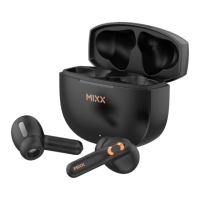
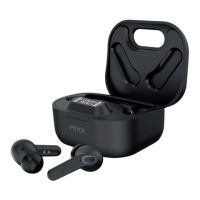
Illustrates and labels the components included with the earbuds, such as the charging case, earbuds, and charging cable.
Guides users through the initial Bluetooth pairing process for the earbuds with their audio device.
Explains the methods for charging the portable charging case using a USB-C cable or wireless charging.
Details how to play, pause, and adjust volume using the earbud touch sensors.
Explains how to answer/decline calls and manually power the earbuds on or off.
Outlines the types of devices and operating systems that are compatible with the earbuds.
Addresses common issues like pairing problems and voice assistant compatibility.
Details precautions for product handling, listening volume, and servicing to ensure user safety.
 General
| Water Resistance | IPX4 |
|---|---|
| Driver Size | 10mm |
| Frequency Response | 20Hz - 20kHz |
| Battery Life | 6 hours |
| Charging Case Battery Life | 24 hours |
| Impedance | 32 ohms |
| Wireless Range | 10 meters |
| Controls | Touch |
| Microphone | Built-in |


 To Next Page