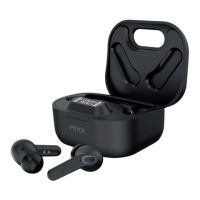
Remove both earbuds from the Portable Charging Case .
They will automatically dual pair together, a voice prompt will say
‘Power on, pairing’ and a ‘Beep’ will sound.
One of the Earbud LED lights will flash BLUE and WHITE to indicate
pairing mode.
Go to the Bluetooth settings on your audio device to select ‘MIXX StreamBuds ANC’
from the list. Once paired successfully you will hear ‘Connected’ and the Earbud
LED Light will turn off.
You can now enjoy your music, watch a video or take a call hands free.
The earbuds will automatically reconnect to the last device they were paired with,
confirming ‘Connected’.
Placing both earbuds back in the Portable Charging Case will power them off.
For a secure fit
Choose from the 3 different ear sized cushions supplied, small, medium (currently
on earbuds) or large that are most comfortable for your ears.
TOP TIP: Remember to keep the ear cushions clean to maintain good quality sound.
5
5
“Power on, pairing”
2
2
4
HOW TO GUIDE EN


 To Next Page