6
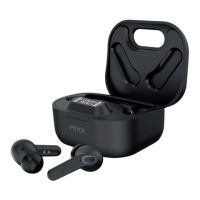
The Portable Charging Case
To check the battery status of the case, open the lid of
the Portable Charging Case . The LED Digital Display
will show the percentage of the battery remaining for
30 seconds.
You can charge the case in two ways:
1. With a Type C charging cable
Always connect the case to a suitable USB wall charger,
computer USB port or a power bank using the USB Type C
charging cable supplied.
When the LED Digital Display number reaches 100
(i.e., 100%) the case is fully charged, and the display will
switch off.
2. Qi wireless charging
At the base of the case is a Qi wireless charge surface .
Place the case flat on a Qi Wireless Charger (sold
separately).
When the LED Digital Display number reaches 100
(i.e., 100%) the case is fully charged, and the display will
switch off.
Charging the case may take up to 2 hours.
8
6
4
B
B
B
HOW TO GUIDE EN


 To Next Page