EasyManua.ls Logo

MJ Research PTC-100 - User Manual

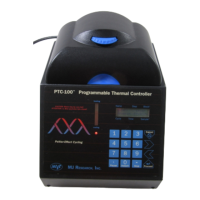
MJ Research PTC-100
84 pages
Print Icon
To Next Page IconTo Next Page
Loading...
Artisan Technology Group is your source for quality
new and certied-used/pre-owned equipment
FAST SHIPPING AND
DELIVERY
TENS OF THOUSANDS OF
IN-STOCK ITEMS
EQUIPMENT DEMOS
HUNDREDS OF
MANUFACTURERS
SUPPORTED
LEASING/MONTHLY
RENTALS
ITAR CERTIFIED
SECURE ASSET SOLUTIONS
SERVICE CENTER REPAIRS
Experienced engineers and technicians on staff
at our full-service, in-house repair center
WE BUY USED EQUIPMENT
Sell your excess, underutilized, and idle used equipment
We also offer credit for buy-backs and trade-ins
www.artisantg.com/WeBuyEquipment
REMOTE INSPECTION
Remotely inspect equipment before purchasing with
our interactive website at www.instraview.com
LOOKING FOR MORE INFORMATION?
Visit us on the web at www.artisantg.com for more
information on price quotations, drivers, technical
specications, manuals, and documentation
Contact us: (888) 88-SOURCE | sales@artisantg.com | www.artisantg.com
SM
View
Instra

Table of Contents

Question and Answer IconNeed help?

Do you have a question about the MJ Research PTC-100 and is the answer not in the manual?

Summary

Introduction to the PTC-100

Important Safety Information

Critical safety warnings and precautions for operating the PTC-100.

Layout and Specifications

Installation

Operation

Initial Setup and Control Interface

Procedures for powering on the device and using its control panel and display.

Sample Vessel Handling

Instructions for lid operation, selecting, loading, sealing, and managing sample vessels.

Running Protocols

Running Protocols and Monitoring

Steps to run protocols and interpret runtime screens and LED indicators.

Programming

Program Structure and Design

Elements of a program, designing new protocols, and temperature control methods.

Creating and Managing Programs

Step-by-step guide for creating, naming, entering, deleting, listing, and printing programs.

Editing Programs

Initiating and Navigating Edit Mode

Steps to enter edit mode and navigate through program steps.

Modifying Program Values

Changing temperatures, times, and other values within program steps.

Maintenance

Cleaning Procedures

Detailed instructions for cleaning the chassis, block, and air vents.

Troubleshooting

Appendix A: The 16 MS Slide Block

Appendix B: Safety Warnings

MJ Research PTC-100 Specifications

General IconGeneral
Temperature Accuracy±0.5°C
Temperature Uniformity±0.5°C
Block Capacity96 x 0.2 ml tubes
DisplayLCD
Temperature Range0°C to 100°C
Heated LidYes
Power Requirements100-240V, 50/60Hz
Weight9.1 kg (20 lb)