18
To share photos/videos, tap Share > Android / Drive / Gmail
to share it.
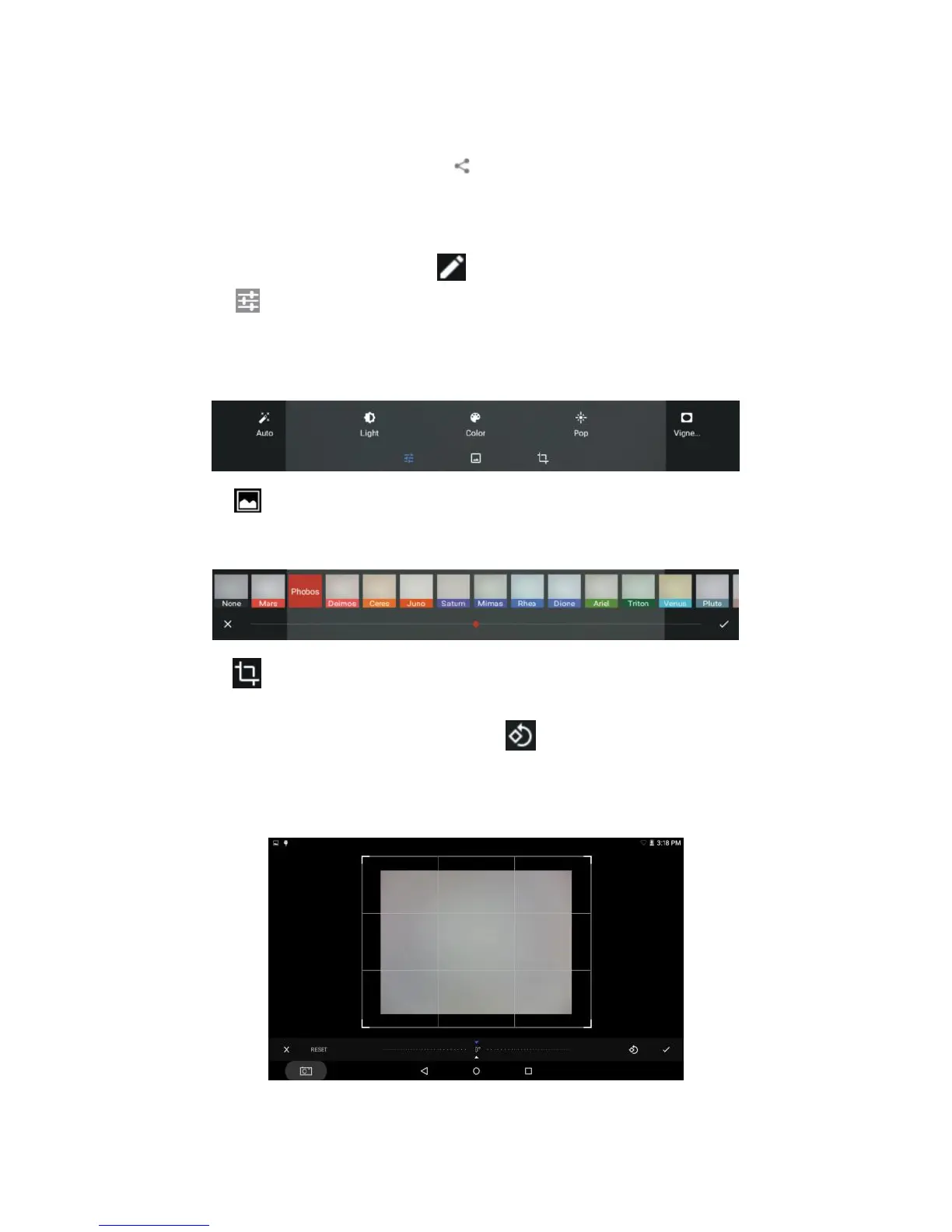
To edit photos/videos, tap Edit to pop up a menu.
Tap , and then tap Auto / Reset to switch between auto setting
and reset. Tap Light / Color / Pop / Vignette to drop down a bar,
and then drag on the bar to adjust the level.
Tap to show a list of photo effects. Slide left/right and tap one to
select a photo effect, and then drag on the bar to adjust the level.
Tap , drag the photo to move/enlarge/reduce the photo, drag
the frame to adjust the display size, drag on the bar to rotate the
photo to any angle, each time tap to rotate the photo 90°
counterclockwise, tap Auto / Reset to switch between auto setting
and reset.



 To Next Page