- 6 -
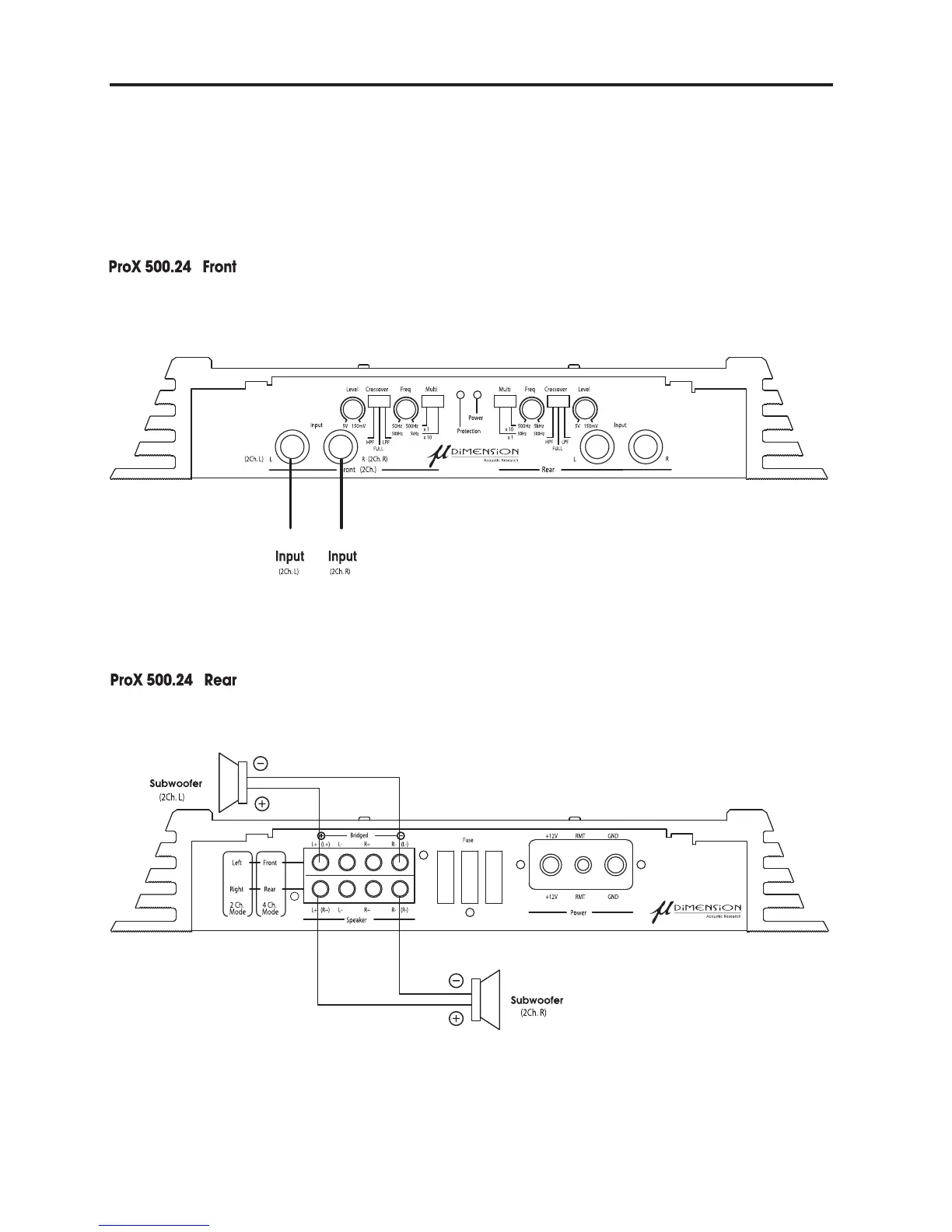
ProX 500.24 2 Channel Mode Operation
1. Please open the bottom cover & change the Input Select S/W to 2Ch, from 4Ch.
(Because the factory default is 4Ch.
2. Connect the RCA Jack to Front L & R Input, but please do not connect Rear L & R Input.
3. Please connect the speaker wire to the speaker terminal as below.


 To Next Page
 Loading...