5
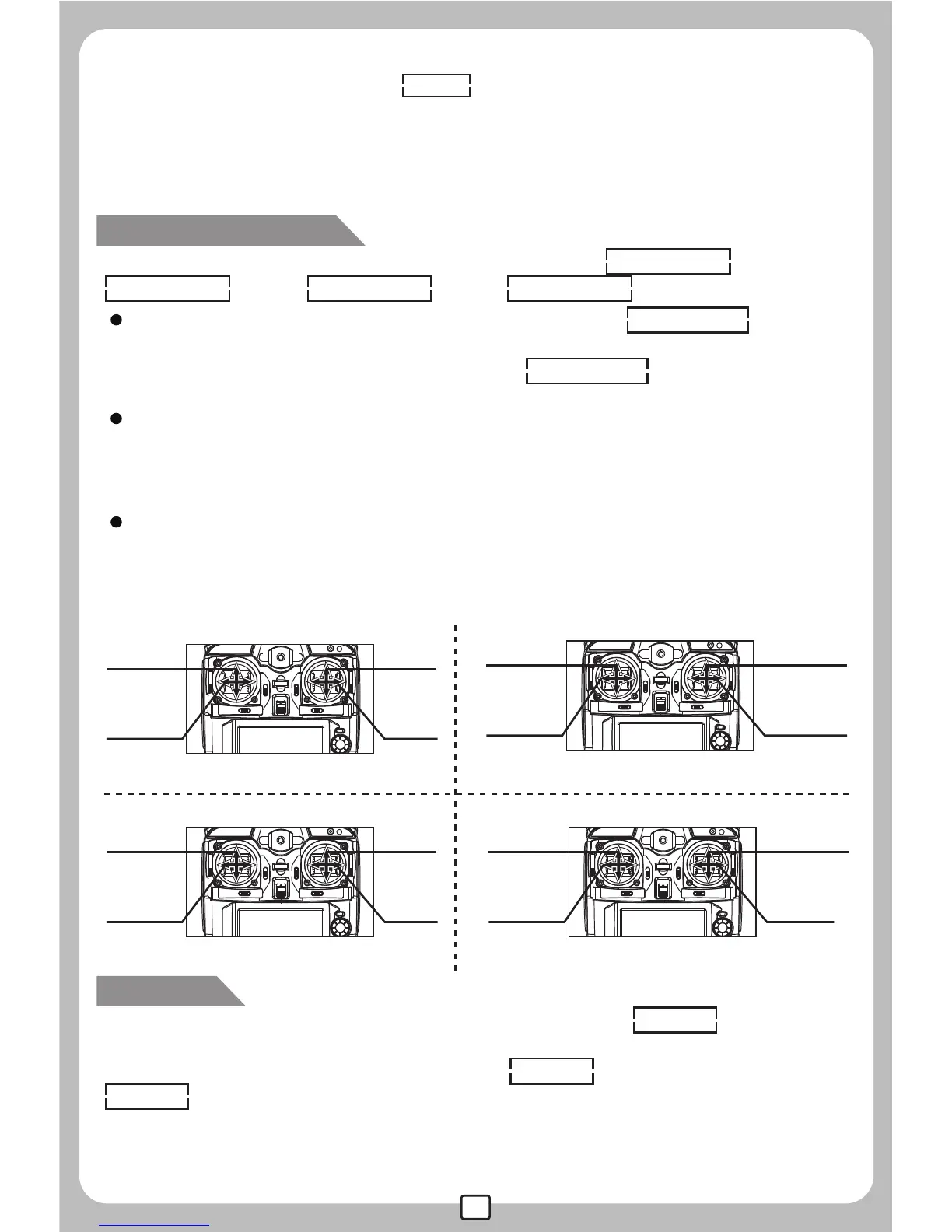
There are 4 flight modes available for selection: Stick Mod 1 (Pic.3)
Stick Mod 2 (Pic.4) Stick Mod 3 (Pic.5) Stick Mod 4 (Pic.6)
Enter into the function menu and find the blinking STICK MOD icon by
turning clockwise or counterclockwise of the MENU/OK button.Press
MENU/OK button to stop the blinking of STICK MOD icon and enter into
the Stick Mode selection interface.
When the left stick controls the throttle, the digit of 2 and 4 will be showed
on the screen, Turn clockwise or counterclockwise of the MENU/OK
button to select either of the modes; Press MENU/OK button to store the
setting or Press EXIT/LIGHT button to cancel the setting.
When the right stick controls the throttle, the digit of 1 and 3 will be
showed on the screen, Turn clockwise or counterclockwise of the
MENU/OK button to select either of the modes; Press MENU/OK button to
store the setting or Press EXIT/LIGHT button to cancel the setting.
STICK MOD:1 STICK MOD:2
Pic.5
Pic.6
Stick Mode Selection
RESET
Enter into the function menu and find the blinking RESET icon by
turning clockwise or counterclockwise of the MENU/OK button.Press
MENU/OK button to stop the blinking of RESET icon and enter into the
RESET interface.At this time, there will be "Yes" and "No" for selection,
Turn clockwise or counterclockwise of the MENU/OK button to select
"YES";Press MENU/OK button to restore all the parameters to factory
default setting.
clockwise or counterclockwise of the MENU/OK button.Press MENU/OK
button to stop the blinking of RUDD icon and enter into the left/right
turning speed setting interface.Turn clockwise of the MENU/OK button to
increase the left/right turning speed and turn counter clockwise of the
MENU/OK button to decrease the left/right turning speed.Press MENU/OK
button to store the setting or Press EXIT/LIGHT button to cancel the setting.


 To Next Page
 Loading...