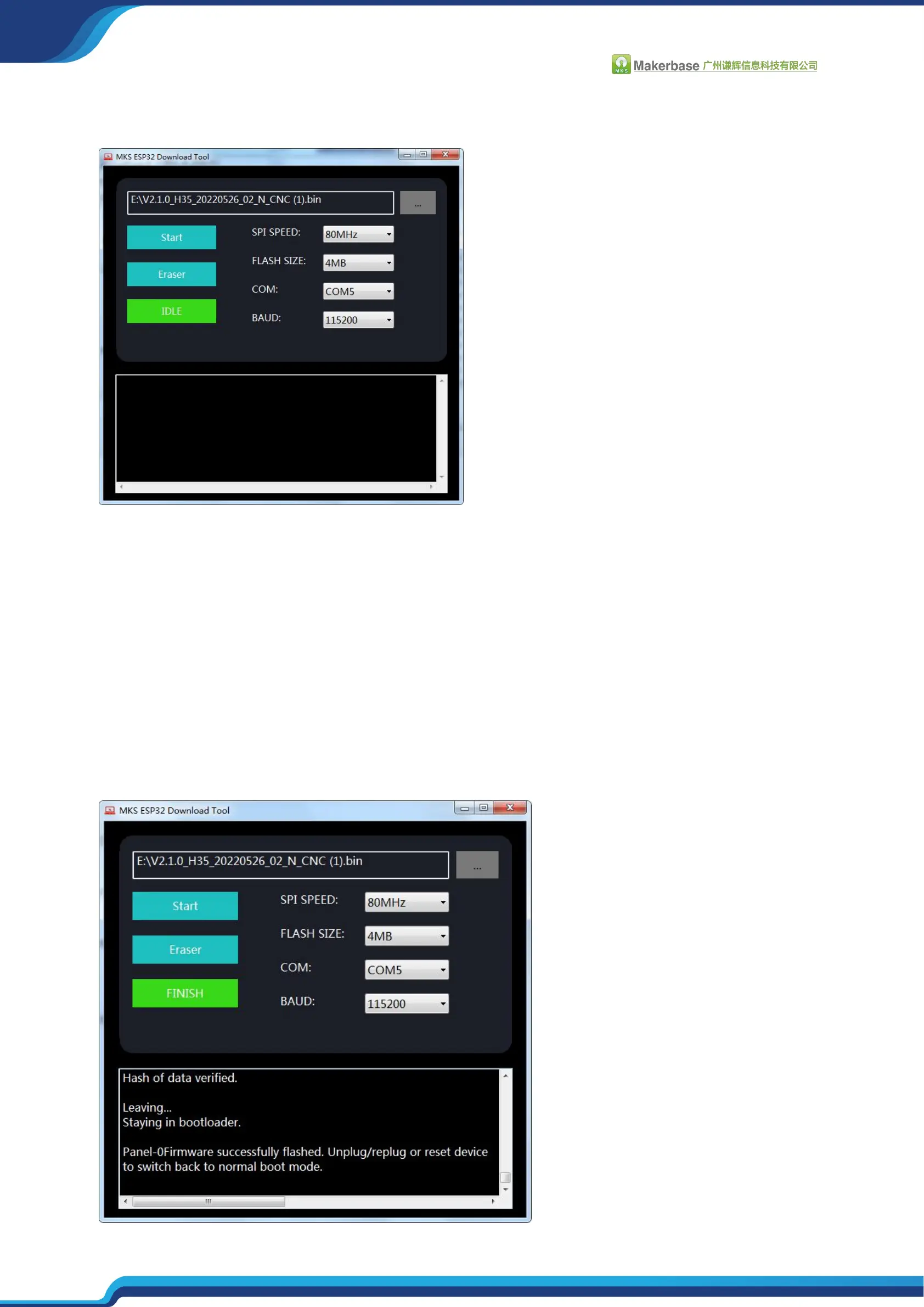
Select firmware file and parameters
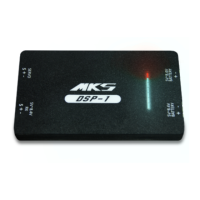
SPI SPEED, FLASH SIZE, BAUDRATE parameters are consistent with the picture settings.
COM: Select according to the allocation of the motherboard in the device manager
FILE: Select the required firmware (bin) downloaded from github
After the above parameters are set, click "start" and wait for the firmware update to
complete.


 To Next Page