Section 2
Standard Features
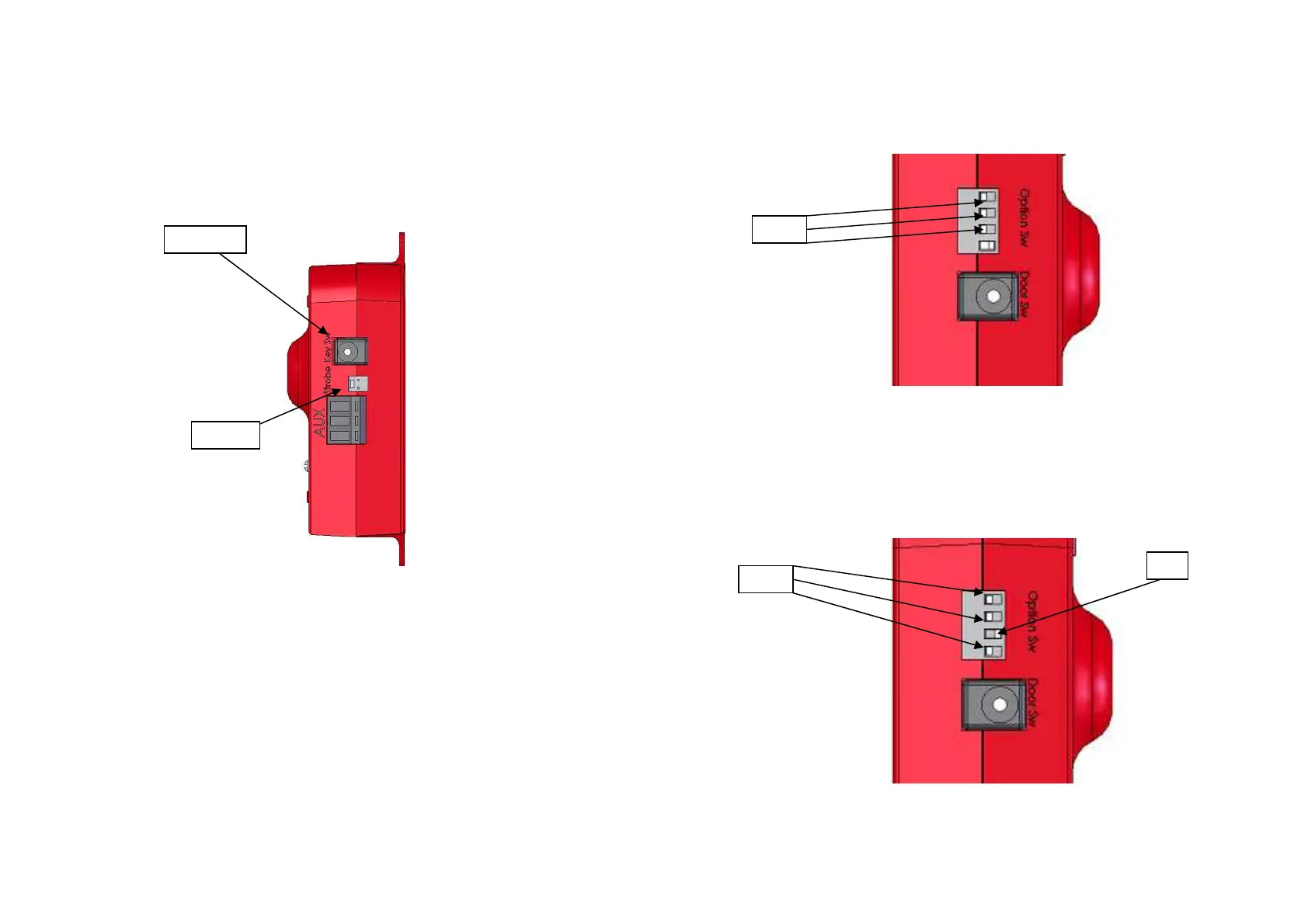
o Key Switch
The Key Switch is attached to the right side of the
unit as indicated in Figure 2-1.
Figure 2-1
Note: If the Key Switch is attached and turned on, without
any of the switches attached, the unit will be armed and
activate. The unit requires a switch to be deactivated
when armed.
-3 -
3. Alarm activates for 30sec after door is opened.
To obtain this setting “Dip” switches 1, 2 and 3 will
need to be in the down position while switch 4 is up,
see Figure 4-3.
Figure
4-3
4. Alarm activates for 3 minutes after door is
opened
To obtain this setting “Dip” switches 1, 2, and 4 will
need to be in the down position and switch 3 in the
up position, see Figure 4-4.
Figure
4-4
-8-
Key Switch
Strobe
Down
Down
UP


 To Next Page
 Loading...