
 Need help?
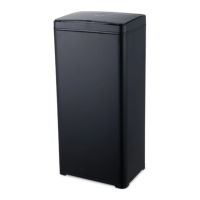
Do you have a question about the MOA Sensor Bin SB02 and is the answer not in the manual?
Use in a dry indoor environment, avoid high temperatures or humidity. Do not force the lid.
Pay attention to battery polarity. Remove batteries if unused to prevent leakage.
Keep away from heat, light, wind to prevent false activation. Do not perform unauthorized repairs.
Instructions for taking off the lid, placing the bag, and reassembling the bin.
Lid opens automatically within 10-25 cm. It stays open and closes after 5 seconds after object leaves.
Lid opens with OPEN button and stays open. CLOSE button reverts to auto mode or auto-closes after 120s.
Check battery contact, power switch, and inductive area interference. Dry if damp.
Lid opens very slowly. Replace batteries as they may be running low.
Do not dispose in normal waste. Use registered waste disposal firms or communal facilities.
Product is covered by warranty complying with local laws. Contact Customer Care Center for defects.
 General
| Brand | MOA |
|---|---|
| Model | Sensor Bin SB02 |
| Category | Kitchen Appliances |
| Language | English |

 To Next Page