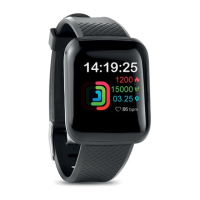
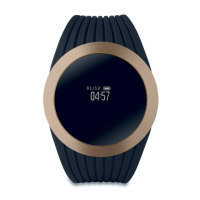
4. Touch button (The circle button under the screen)
Long press the touch button to turn the watch on.
To turn it off, press the touch button to “more” page. Long press
to enter and press to “Power” page. Long press the touch
button again.
5. Functions
Time Mode: Display with time, date, battery and steps.
State: You can view the steps, distance and calories in this
interface.
BPM: This interface allows you to measure the heart rate,
blood pressure and blood oxygen.
The results displayed on the watch and synchronized
automatically in the APP. You can start the measurement
from the APP.
Sports: This device allows you to monitor sports activities
such as running, skipping and sit-up.
Message: When receiving a message, the device will vibrate
and display with text, if you turn on the notification icon from
APP-”Device Management” -” Reminder”.
Sleep Monitor: It records sleep hours with deep sleep, light
sleep and awake times from wrist swing during sleep.
Activate the start/end time in the APP.
Weather: When connected to Bluetooth, the watch can
display the weather for the day.
Music: You can play or pause/go forward/backward any
music track by pressing the touch button.
More
Camera: Shake your watch to take a photo.
Looking for: Enter this function and short press it to find the
phone. The phone will ring. Please make sure the device is
within 10 meters distance from smart phone.
Theme: This interface allows you to switch the UI styles.
Reset: This interface can be restored to factory settings.
QR Code: App QR code of this watch.
Shut down: Long press to turn off the device.


 To Next Page
 Loading...