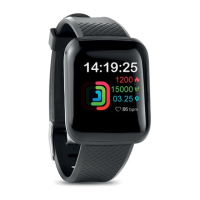
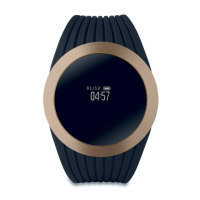
Music: You can play or pause music saved on your mobile
phone.
Weather: When connected, the watch can display the
weather for the day.
Calculator: Enter to perform simple calculations.
Alarms: You can activate several alarms, such as an alarm
clock or sedentary reminder. The alarms will display on the
smartwatch, but you need to activate them in the APP.
Sedentary: You can activate a sedentary reminder for a
while. It will be shown on the clock, but you need to set it in
advance in the APP.
Stopwatch: Press this icon to enter the mode and short
press to start it and end it.
Taking pictures: Press this icon to take remote pictures from
your smart watch. Shake your watch to take a photo.
Find Phone: Press this icon to enter the mode and short
press it to find the phone. The phone will ring. Please make
sure the device is within 10 meters distance from smart
phone.
Setting: You can perform system settings.
Torch: Press this icon and the screen will display in full white
to improve visibility in a dark environment.
Calendar: This device allows you to view the calendar.
Contact: You can synchronize contact information through
the APP.
Notifications: This device allows you to get different
notification types such as Facebook, Twitter and WhatsApp.
QR Code: App QR code of this watch.
APP View: Press this icon to change the menu style.
Display and Brightness: You can set the screen brightness,
pause time and wake up screen function in this interface.
Shut down: Slide to turn off the device.
6. FAQ
1) How long can the battery be used for the device?
As users may activate different features/functions according
to their own preference, we suggest charging the device
every day to ensure the device is always with power.
2) How long will the data be kept on the device?


 To Next Page
 Loading...