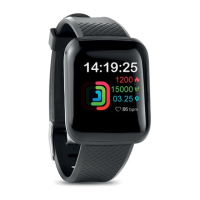
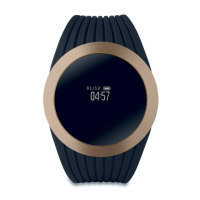
4. Control button.
• Press to turn the watch on/off.
• Press to enter the menu.
• Rotate to switch the UI styles.
5. Functions
Time Mode: Display with time, date, weather and shortcut
interface.
Sports: This device allows you to monitor sports activities
such as walking, running, riding, climbing, treadmill,
basketball, football, badminton and jump rope.
Sleep Monitor: It records sleep hours with deep sleep, light
sleep and awake times from wrist swing during sleep.
Activate the start/end time in the APP.
Step tracking: It tracks real-time steps walked or ran
throughout the whole day and will synchronize with the App
automatically. It records based on the number of wrist swings.
Distance: It tracks how long distance and calculates based
on user's weight and height and steps made.
Calorie: It calculates calories burned based on user's weight
and distance walked.
Heart Rate Monitor: This device allows you to measure the
heart rate. Click the icon to start measurement, the results
displayed on the watch and synchronized automatically in the
APP. You can start the measurement from the APP.
Blood Pressure Monitor: This device allows you to measure
the BP. Click the icon to start measurement, the results
displayed on the watch and synchronized automatically in the
APP. You can start the measurement from the APP.
Blood Oxygen Monitor: This device allows you to measure
the blood oxygen. Click the icon to start measurement, the
results displayed on the watch and synchronized
automatically in the APP. You can start the measurement
from the APP.
Message: When receiving a message, the device will vibrate
and display with text, if the notification icon is turned on in the
APP-” Device Management” -” Reminder”.
Dial: Press this icon to enter a phone number and make a
call.


 To Next Page
 Loading...