unattended whilst in use
• Charge times may vary depending on the device being
charged
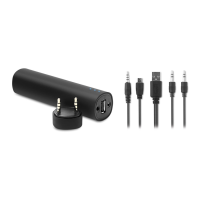
• 3.5 mm audio jack / power-in port
• USB power-out port
• LED Indicators
PLAYING MUSIC
With audio cable to connect the 3.5 mm audio port (1) on the
speaker with your electronic device directly.
The connection is successful if the Blue LED indicator light (3) is
ON.
Charging your electronic device:
Connect the USB power-out port (2) of this product and your
electronic device with the original data/charging cable of your
device and the charging will commence.
Recharging power bank:
Use the Micro USB charging cable with 3.5mm in-jack to connect
the 3.5 mm power-in port (1) on the power bank and a 5V DC /
800mA power source for recharging. When the red light (3) is on
this indicates the power bank is recharging, the light will turn blue
light (3) when the power bank is fully charged.
Specifications:
Input: DC 5V / 800 mA
Output: DC 5V - 1A
Dimensions: 29 x 29 x 137 mm
Capacity: 3500 mAh
Power efficiency: 80%
Cycle life: 500 times approx. or 3 years approx.
Protection Voltage: 4.2V
DE
Anleitung:
Beim Anschluss der Powerbank an das Gerät, verwenden Sie bitte
nur Verbindungskabel und Anschlüsse von autorisierten Händlern.
Die Verwendung von Verbindungskabeln oder Anschlüssen von


 To Next Page