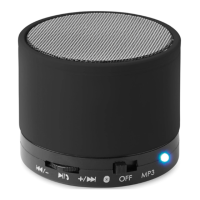
LED indicator status
•
Blue LED on: TF MP3 mode in pause or ‘AUX’ /Radio mode
•
Blue LED flashes: music is playing
•
Blue LED flashes quickly: search for wireless connection
•
Red LED on: battery is charging
Before using the device
•
To optimize the battery performances, charge your speaker at
least 10 hours before the first use.
•
The usual loading time is about 2 to 3 hours.
•
Only recharge the battery if your speaker turns off or if the
sound quality is poor.
•
If you do not use your speaker for a long time, you have to
charge it at least once a month.
Wireless connection mode
•
Make sure your device has free wireless function.
•
Put your mini- speaker in wireless connection mode.
•
After 3 seconds you will hear a sound meaning that the device is
ready to be connected.
•
The blue LED will flash quickly while searching and connecting
your device.
•
When the two devices recognize each other, the speaker is
listed as “MO9608”. No password is required to connect. Once
the match is made, the blue LED is on.
•
Once the connection is established you will hear a sound. If the
connection is canceled, you will hear a new short sound.
SD/TF card mode
•
Insert your SD/TF card into the TF card slot.
•
Turn the speaker in MP3 position.
•
Your speaker will automatically find your memory card and play
the registered files (see list of compatible files Chapter 9.
Technical Specifications).
•
Go backwards/forwards: Push in the direction of the arrow and
release / - or +/ to go to previous or next track.
•
Adjust the volume: Push in the direction of the arrow and hold


 To Next Page