Need help?
Do you have a question about the MOB MO9959 and is the answer not in the manual?
Details on temperature and humidity ranges, resolution, display capabilities, and calendar year support.
How to navigate to view calendar and alarm time by pressing the MODE button.
Step-by-step guide to enter time setting mode and adjust hour/minute digits.
Instructions for setting the alarm hour and minute by holding the MODE button.
Procedure to enter calendar setting mode and adjust year, month, and day.
Press UP button to toggle the alarm function on or off.
How to view the maximum and minimum recorded temperature and humidity values.
Switch between 12-hour and 24-hour time display formats.
Toggle between Celsius (°C) and Fahrenheit (°F) for temperature display.
Activate the snooze mode by pressing the SNZ button while in alarm mode.
 General
| Brand | MOB |
|---|---|
| Model | MO9959 |
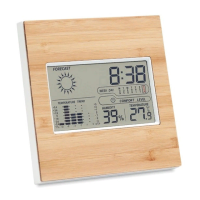
| Category | Weather Station |
| Humidity Range | 20% to 95% |
| Display Type | LCD |
| Battery Type | AAA |
| Batteries | 2 x AAA |
| Functions | Weather Forecast |
| Power Source | Batteries |

 To Next Page