3
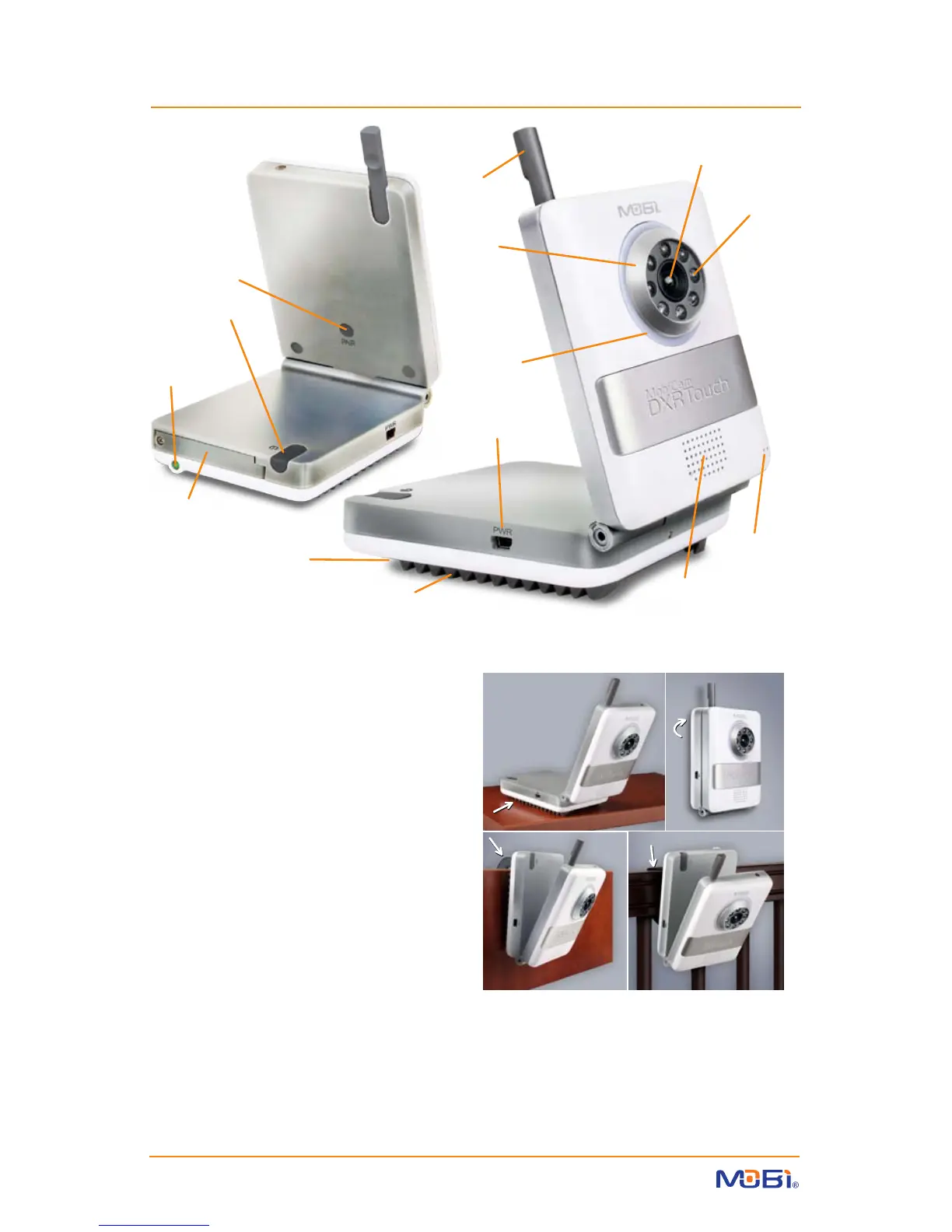
CAMERA
PAIR
Button
Strap Mount
(underneath)
Power ON
LED Indicator
Camera
Lens
Focus
Ring
(Note: See
Addendum
on page 21
for focusing
instructions)
Night
Light
Night Vision
IR LEDs
DC Power
Input
2-Way Talk /
Lullaby Speaker
Microphone
ON / OFF
Button
Battery
Compartment
Retractable
Antenna
Ridge-Grip
Surface Stand
Positioning/Mounting Options
A. Horizontal to Slightly Angled Surfaces - Built-in Ridge-Grip Feet… B. Wall Mount Screw with
Drywall Anchor (included)… C. Door or Drawer Hook Mount / Stand (included)… D. Horizontal
Rails / Drawer Handles - Attachable Strap Mount (included)
Camera / Transmitter Unit
features:
• PAIR Button
• LED for Power ON / Pairing (ashes)
• Microphone & Speaker
• DC Input (AC/DC adaptor included)
• Night Vision
• Temperature Sensor and Alarm
• VOX (Hi/Mid/Lo/O) with receiver control
• Adjustable Volume from receiver
• Adjustable TX Power (High-Low) from receiver
• 4 Lullaby choices
• Night Light
• Rechargeable Battery 3.7V 1500 mAh
(not included - sold separately)
• 2.4GHz Digital FHSS, 100% secure with full
privacy and interference free
A. B.
C. D.
A. B.
C. D.
WARNING: To prevent strangulation never place a power cord within reach of a child.


 To Next Page