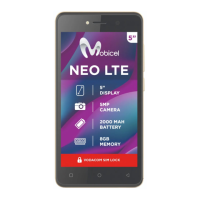
T136 User Guide
1. Getting started ...................... 5
1.1Phone appearance and Description diagram 5
1.2Icons ........................................................... 5
1.3 Installing the SIM card and battery 1.4
Installing the memory card ................................ 6
1.5 Battery charge ............................................ 6
1.6 Startup and shutdown ................................. 6
1.6.1 Startup ................................................. 6
1.6.2 Shutdown ............................................. 6
2. Call functions ........................ 6
2.1 Make a call ................................................. 6
2.2 To answer or reject a call ............................ 6
2.2.1 Answer an incoming call ....................... 6
2.2.2 Reject a call ......................................... 6
2.3 Adjust the volume ....................................... 6
2.4 End the call ................................................ 6
3. Backup .................................. 6
4. Blacklist number ................... 7
5. ES File Explorer .................... 7
6. Phone .................................... 7
7. Movies ................................... 7
8. Gmail ..................................... 7
9. Email ..................................... 7
9.1 Set up email ............................................... 7
9.2 Send email ................................................. 8
9.3 Receive email ............................................. 8
10. Calculator .............................. 8
11. Opera Mini ............................. 8
12. Browser ................................. 8
12.1Enter the URL ............................................ 8
12.2Homepage ................................................. 8
13. Sound Recorder .................... 9
14. Calendar ................................ 9
15. Settings ................................. 9
15.1 Dual SIM Settings ..................................... 9
15.2 Wireless & networks ................................. 9
15.3 Call Settings ............................................. 9
15.4 Sound ....................................................... 9
15.5Display ...................................................... 9
15.6Location & security .................................... 9
15.7Applications ............................................... 9
15.8Accounts & sync ...................................... 10
15. 9 Privacy .................................................. 10
15.10 Storage ................................................. 10
15.11 Language & keyboard ........................... 10
15.12 Voice input & output .............................. 10
15.13 Accessibility .......................................... 10
15.14 Date & time ........................................... 10


 To Next Page