...............................................................................................................................................................................................................................................
Note: This guide does not replace the user manuals.Page 11-16
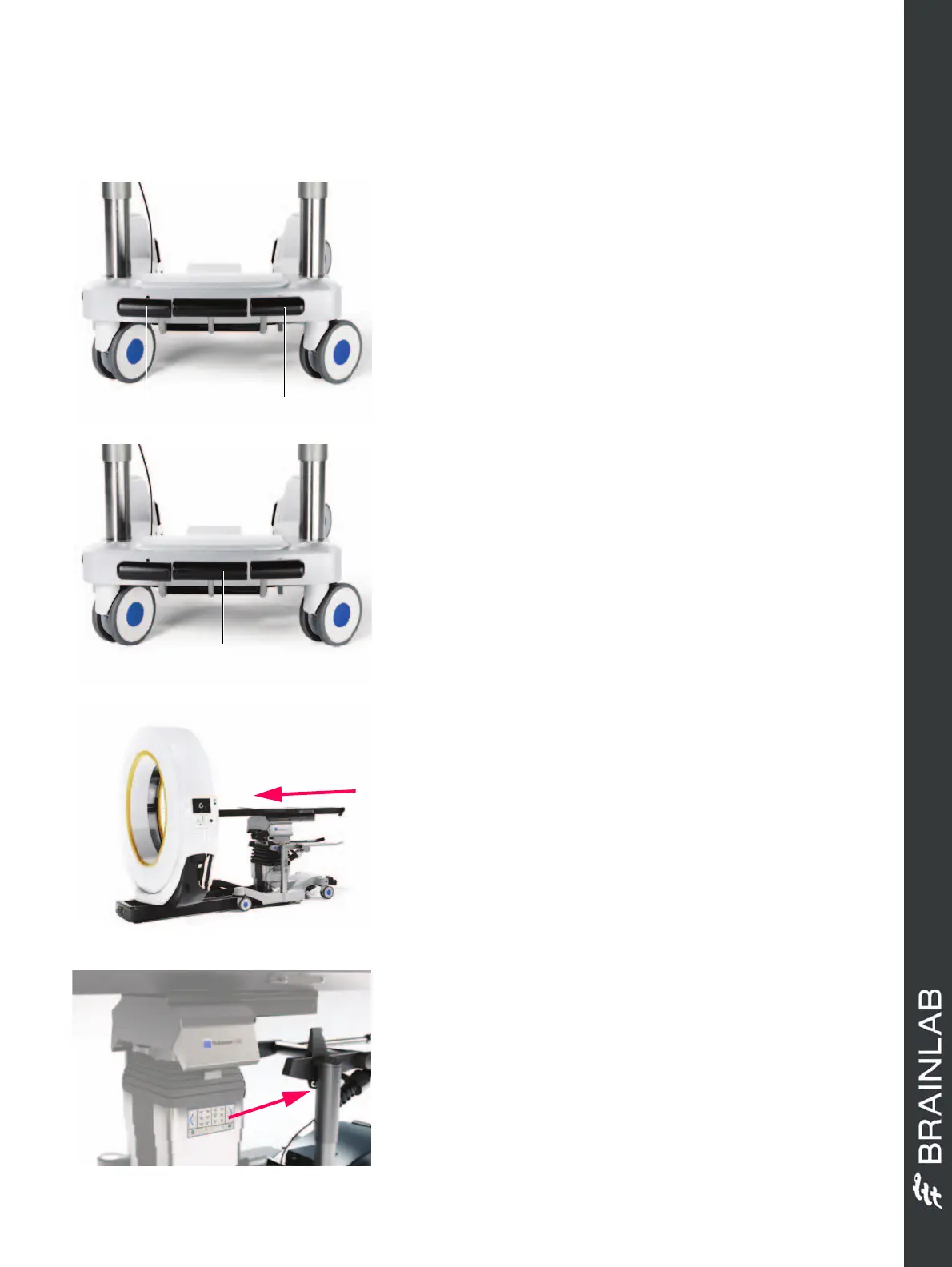
TRANSFER TABLE TO COLUMN
STEP 1
• Set the shuttle to the zero (neutral) position.
•
Set the
5th wheel
pedal a to
freewheel
.
•
Set the
brake
pedal s to
unbraked
.
• Ensure that the
Airo
gantry is away from the column
so that it does not collide with the wheels.
STEP 2
• Place the shuttle against the column.
• Adjust the column height accordingly to avoid
collision.
• Press and hold down the
Transfer
pedal d on the
shuttle or the
Zero Position
key on the remote
control.
• The column moves to the upper lift position.
NOTE: Refer to the table top instruction manual for
more information.
STEP 3
• Transfer the table top to the column, ensuring that
the table does not collide with the gantry while
maneuvering.
NOTE: Ensure that the operating table or other
patient support is properly locked onto the holding
wedges of the column.
NOTE: When the table transfer is complete, a two-
tone signal sounds and
Table top (type)
recognized
appears on the remote control display.
STEP 4
• Move the shuttle away after the signal sounds.
Hardware: Airo


 To Next Page
 Loading...
