66 67
MPE
MIDI Polyphonic Expression (or MPE) is a method of using MIDI to enable expressive electronic
musical instruments to control multiple dimensions of sound polyphonically. In MIDI, channel-
wide messages (such as pitch bend, CCs, and channel aftertouch) are applied to all notes
being played on a single channel; therefore, in MPE each note is assigned its own channel so
that those messages can be applied to each note individually.
An MPE instrument typically has three dimensions of expression / control – left-right (X-axis);
front-back (Y-axis); and pressure (Z-axis) – each axis can be mapped to various parameters of
sound and be applied on a per-note basis.
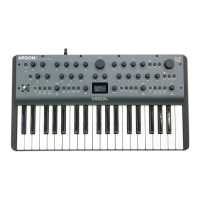
ARGON8M is an MPE-compatible synthesiser, which means any valid MPE instrument /
controller can control multiple parameters of ARGON8M’s sound engine polyphonically. The
majority of the ARGON8M parameters can be controlled by MPE.
Setting up MPE on ARGON8M
Enabling ARGON8M to respond to MPE involves the following steps:
1. Navigate to the MIDI settings controls on the screen
2. Set ‘MPE Mode’ to ‘On’
3. Set ‘MPE Master Channel’ to match that of your MPE instrument. Your MPE instrument
may refer to this as its ‘MPE Zone’ – ‘Lower Zone’ uses channel 1 and ‘Upper Zone’ uses
channel 16. Some MPE instruments may not specify a Master Channel / Zone – in this
case the most likely value to use here is ‘1’. Please refer to the MPE instruments settings
or documentation for more information.
4. Set ‘MPE Number of Channels’ to match that of your MPE instrument. It is recommended
to set this value as high as possible (on both your MPE instrument and ARGON8M) to
take full advantage of ARGON8M’s polyphony. Some MPE instruments may not specify a
Number of Channels – in this case the most likely value to use here is ‘15’. Please refer to
the MPE instruments settings or documentation for more information.
5. Set ‘MPE Pitch Bend Range’ to that of your MPE instrument. Your MPE instrument may
refer to this as its ‘Pitch Bend Sensitivity’. Some MPE instruments may not specify, or use,
a fixed Pitch Bend Range – in this case use this value to set your preferred semitone range
of the MPE X-axis. Please refer to the MPE instruments settings or documentation for
more information.
MPE
Each MPE dimension is mapped to the ARGON8M sound engine as follows:
• Left-right / X-axis (sent as MIDI Pitch Bend) – This controls the pitch of the note, with the
range set using the ‘MPE Pitch Bend Range’ global setting (see above).
• Front-back / Y-axis (sent as MIDI CC 74) – This controls the ARGON8M Y+ modulation
assignments.
• Pressure / Z-axis (sent as MIDI Channel Aftertouch) – this controls the ARGON8M
Aftertouch modulation assignments.
As the MPE Y and Z dimension assignments are built into ARGON8M’s existing modulation
matrix, these assignments are saved and recalled with each patch.
Using MPE on ARGON8M
If using MODALapp / MODALplugin please ensure that you are running the version (or above)
of MODALapp / MODALplugin released with ARGON8M firmware v2.0 to ensure correct
communication between the app / plugin and the ARGON8M.
If using in conjunction with non-MPE MIDI controllers or software, please set their output MIDI
channel to match the ARGON8M’s ‘MPE Master Channel’ to ensure correct behaviour.
ARGON8M MPE limitations:
• If Y+ or Aftertouch is assigned to any global sound parameters (LFO1 or FX parameters)
then these parameters will change for all notes / voices and only the latest / newest MPE
note will have control of these parameters.
• MPE is not available in Polychain mode
• MPE expression data cannot be recorded into the ARGON8M sequencer, and any MPE
notes recorded into the sequencer are converted in ‘master’ notes.
• ARGON8M doesn’t support MPE ‘MIDI Mode 4’ (‘one channel per string’ voice
allocation).


 To Next Page