Need help?
Do you have a question about the Modal CRAFTsynth 2.0 and is the answer not in the manual?
Describes precautions for electrical products, water exposure, and hearing safety.
Details the importance of correct battery polarity to prevent damage.
States no user-serviceable parts and conditions requiring servicing.
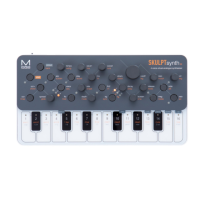
Lists key features and technical details of the synthesiser.
Explains powering the CRAFTsynth 2.0 via USB or batteries.
Details playing notes and configuring octave/scales via touch pads.
Details using touch pads for preset load/save functions.
Explains SHIFT/PRESET button access to secondary panel functions.
Describes visual feedback from key LEDs for various actions.
Provides instructions for connecting multiple CRAFTsynth 2.0 units.
Details procedures for loading, saving, and banking presets.
Explains how to reset or randomize patch settings.
Describes line out and headphone jack functions.
Details USB for power/MIDI and MIDI DIN port functions.
Explains the use of sync in/out jacks for clock synchronization.
Describes power switch positions for USB and battery operation.
Covers Wave 1/2 selection, Mix, Fine, Tune, and OSC-MOD controls.
Details selecting oscillator modifiers and waveform banks.
Explains the spread control for unison, chords, and detuning.
Describes phase modulation effect and its control.
Explains oscillator sync with an amplitude window and control.
Details ring modulation effect between oscillators.
Explains boosting amplitude and folding waveforms.
Describes downsampling (De-Rez) and sine wave shaping distortion.
Details reshaping oscillator phase for waveform generation.
Explains amplitude window playback for creating notches.
Describes modulating Wave 1's frequency with Wave 2.
Explains oscillator sync with a sharp phase jump.
Covers amplitude comparison and sinusoidal wavefolding.
Details continuous bitrate reduction for staircase waveforms.
Explains scrunch/lo-fi phaseshaping and vocalized sync effects.
Describes waveform banks from various sources including Virtual Analogue and 002.
Describes mathematically generated and polygon waveform banks.
Describes Modal-curated and vocal sound (Formant) waveforms.
Describes the sine and noise bank for oscillator modifiers.
Details filter cutoff, resonance, and morphing between LP, BP, and HP.
Explains Attack, Decay, Sustain, and Release parameters for EGs.
Details cycling EGs and Amp-EG modulation control.
Covers LFO speed, waveform shape, and retrigger modes.
Explains enabling, inputting notes, and rests for the arpeggiator.
Details octave range, pitch glide, scales, and root note selection.
Describes how to sustain notes using touch pads.
Covers distortion amount and delay mix (Dry/Wet).
Details delay time synchronization and feedback amount.
Explains assigning sources to destinations via panel and app.
Describes modulation depths and scaling behavior.
Explains how CRAFTsynth 2.0 appears in OS utilities.
Notes on enabling MIDI input/output in DAW preferences.
Covers setting MIDI channels and I/O functions.
Explains MIDI clock sync and auto-detection.
Details app-configurable MIDI filters and omni mode.
Instructions for connecting multiple units for polyphony.
Explains remote firmware updates via MODALapp or MIDI sysex.
Describes the app's general layout and functions across its tabs.
Details functionality of Editor, Live, and Settings pages.
Explains storing, organizing, and transferring presets/banks.
Describes connecting mobile devices to CRAFTsynth via MODALapp.
Using a MIDI controller to play the synth via MODALapp.
Using the Live page for performance control and macros.
Detailed view of local and onboard preset storage.
Firmware version, MIDI channel, and clock settings.
Addresses issues like not turning on or no sound output.
Solutions for when the synth is not recognized as a MIDI device.
Solutions for MIDI not responding or erratic touchpad behavior.
Explains and offers solutions for ground loop noise.
 General
| Power Supply | USB Powered |
|---|---|
| Polyphony | Monophonic |
| Sequencer | Step Sequencer |
| Oscillators | 2 |
| Envelopes | ADSR |
| MIDI | In, Out, USB |
| Connections | USB |

 To Next Page