48 49
Live Page
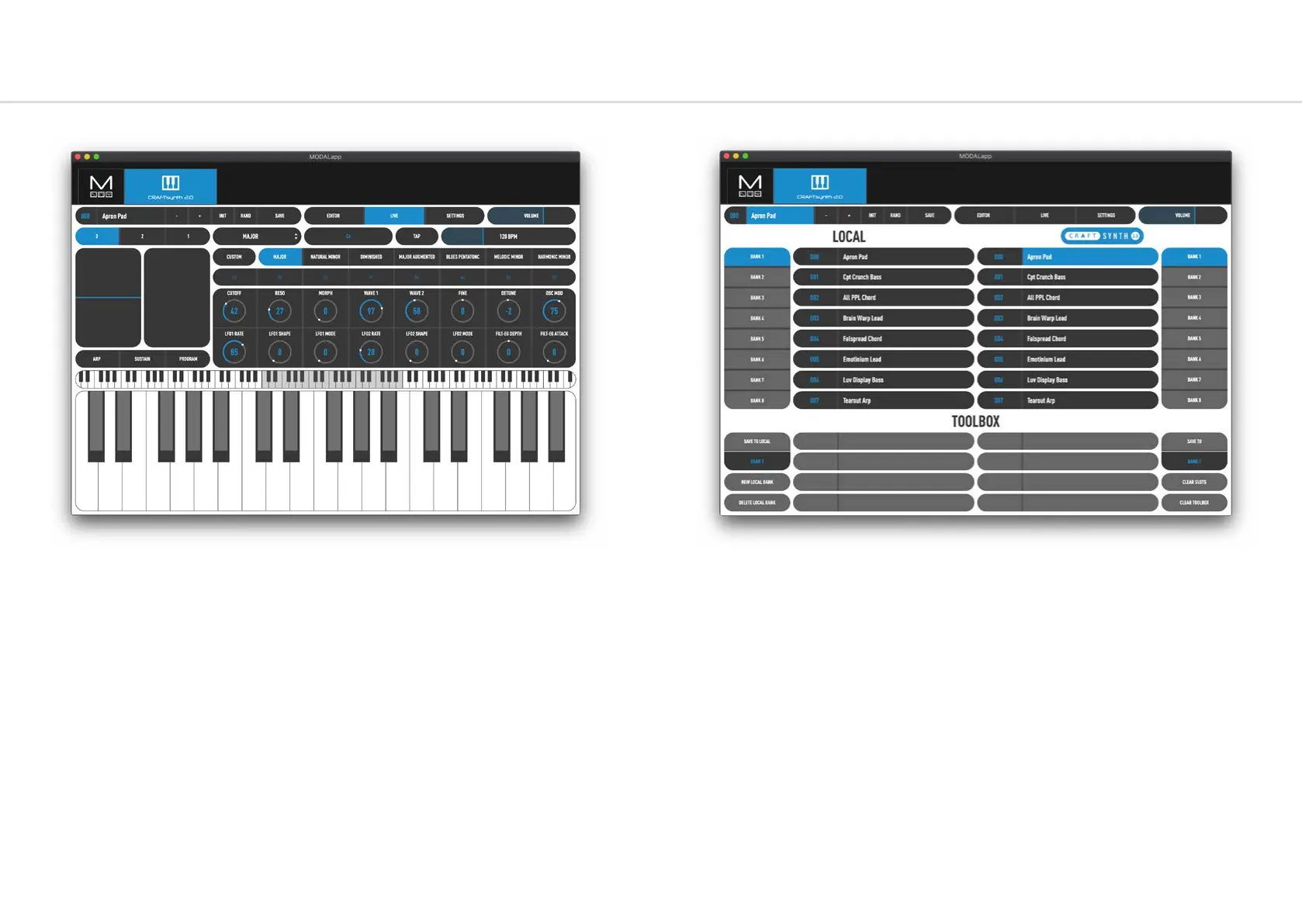
This page provides a MIDI controller for playing your CRAFTsynth 2.0 with access to keys,
pitchbend and modwheel, arp and sustain settings and 16 assignable macro controls.
You can select the number of octaves shown on the playable on screen keyboard using the
3,2 or 1 buttons.
You can select which scale is in the currently selected slot by clicking the dropdown to the
right of the 3,2 & 1 buttons and selecting something or you can program your own by
selecting custom and editing the notes in the below toolbar
There is also Tap Tempo control and a tempo slider to adjust the tempo of the internal clock.
Preset Management Page
This page allows you to backup, curate and restore your saved presets. The interface is split
into 3 sections:
CRAFTsynth 2.0 - On the right are the current presets on your CRAFTsynth 2.0, there are 8
banks of 8 patches.
Local - On the left hand side you will find the local storage section. These are presets that are
saved to your local storage on the device MODALapp is running on.
Toolbox - The toolbox is an area you can drag patches in to currate new banks and then save
them to your CRAFTsynth 2.0 or add to local storage.
The interface is drag’n’drop so you can move presets or banks around to different slots by first
clicking on them and then dragging them to the desired location.
Local patches or banks can be imported/exported by right clicking on a preset or bank button.
Presets can also be quickly renamed by double clicking on the preset buttons.


 To Next Page