12 13
Presets
Presets are arranged into 8 banks of 8 giving you 64 slots in total.
LOAD A PRESET
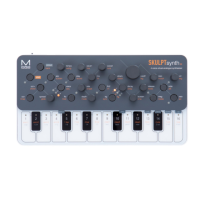
Presets can be easily loaded by holding the PRESET button on the front panel and tapping
one the the 8 keyboard touch pads. Each touch pad represents the preset slot in the currently
selected bank.
You can change the currently selected bank by holding the PRESET button on the front panel
and tapping one of the - or + touch pads.
SAVE A PRESET
Presets can be saved by holding the PRESET button on the front panel and then HOLDING
one the the 8 keyboard touch pads. Each touch pad represents the preset slot in the currently
selected bank.
INIT PRESET
You can initialise a patch preset by holding the PRESET button and the - & + touch pads
together.
RANDOMISE PRESET
You can randomise a patch preset using MODALapp


 To Next Page